Help
How Budvid works
Everything an agency or a developer needs to know: where to start, how to move your listings in, take a property from floor plan to publication, receive buyers’ requests and connect your CRM. With screenshots of the cabinet — and honest about what the current version does not do yet.
The screenshots show the cabinet in Ukrainian; it is also available in English. Button names in this help are given as they read in the English cabinet.
Contents
What Budvid is
An online service that turns the floor plan of a flat or a house into a 3D presentation a buyer opens from a link on their phone. An agency gets a catalogue of all its properties under its own brand; a developer gets a sales chart on the 3D building. Nothing to install: the cabinet and the presentations run in the browser, and staff sign in with their own Telegram — no passwords.
| Part | Address | Who uses it |
|---|---|---|
| Cabinet | budvid.com/cabinet | The owner and managers: properties, prices and statuses, leads, team, integrations, payment |
| Property presentation | budvid.com/p/… | The buyer: 3D, floor plans, photos, the view from the window, a request form |
| Agency catalogue | budvid.com/a/… | The buyer: all of the agency’s published properties, with filters |
| Private show | budvid.com/s/… | One particular buyer, by a personal link |
From floor plan to request
- ListingsA DIM.RIA feed import, or a property by hand
- 3DA plan from a PDF, photo or DXF — 3D in a few minutes
- PublicationThe owner’s consent, a link, the catalogue
- BuyerLooks on their phone and sends a request
- RequestThe cabinet, the agent’s Telegram, your CRM
Getting started
A realistic plan for an agency with 50–300 properties. We can build the first properties for you — a turnkey service, priced on the pricing page.
| When | What happens | Who |
|---|---|---|
| Day 0 | Choose a plan. You can start with a 7-day test drive: “Test drive” on one property, “AI test drive” on several. Paying by card gives access at once; by invoice — no later than the next business day after the money arrives. | Director |
| Day 1 | The owner signs in with Telegram and goes through the “First steps to buyers’ requests” card. | Cabinet owner |
| Day 1 | Import the listings from the DIM.RIA XML feed (how it works). They arrive as drafts and take no room in the plan until published. | Owner + IT |
| Days 1–3 | The first 3–5 properties in 3D: plan from the technical passport → check the areas → floor, furniture, surroundings → publish. | A manager, or us (turnkey service) |
| Day 2 | The team: invitations for managers. Each signs in with their own Telegram and connects their own chat for requests. | Owner |
| Days 2–4 | Integrations: a webhook to your CRM, presentations on the agency’s website, and if needed a team work group through the agency’s own bot. | IT |
| Week 1 | Training managers, the first private shows, links to buyers. | Head of sales |
| Week 2+ | The rest of the listings go 3D as you work on them; a report on requests and views. | Managers |
A test drive is for trying Budvid: “Test drive” on one property, “AI test drive” on several and with more AI actions. Test drives have no API, no photo gallery and no private shows; a CRM webhook — just one, and only on “AI test drive”; the team is limited to 2 people. The full rollout above is done on a paid plan.
“First steps to buyers’ requests”
The card above the cabinet’s tabs leads to your first request in five steps: “Test drive or a plan” → “The first property” → “The agency’s catalogue” → “Requests to Telegram” → “The first request”. The catalogue’s brand — name, phone, website, logo and colour — goes into the “Catalogue” form: the “Set up” button on the “The agency’s catalogue” step.

What to prepare
- A personal Telegram account for everyone who will work in the cabinet.
- The address of the XML feed your CRM sends to DIM.RIA, or the XML file itself.
- Floor plans: a PDF, a photo or scan of the technical passport, or a DXF. Save DWG as DXF.
- Your logo (PNG, JPEG or WebP), brand colour, the agency’s phone and website.
- For a CRM: a public https address that accepts a webhook.
There is a one-off setup: we make your listings from their plans — 3D presentations, plans and the agency’s catalogue. Its price is on the pricing page.
Sign-in, roles and rights
Signing in
- With Telegram. No password is entered or stored in Budvid: Telegram confirms who you are.
- The backup way in is an API key, on plans with the API. A key has the owner’s rights and bypasses Telegram, so keep it like an administrator’s password. A key can change data only while a plan with the API is in force; otherwise it only reads — and can still pay for a plan, revoke keys and link a Telegram.
- Budvid has no two-factor authentication of its own: sign-in is protected by each person’s Telegram settings. So everyone who works in the cabinet should turn on Telegram’s cloud password (two-step verification).
Two roles: owner and manager
| Action | Owner | Manager |
|---|---|---|
| Create properties; work with 3D, photos, prices, statuses, the archive | yes | yes |
| See and export all of the cabinet’s requests | yes | yes |
| Private shows: issue, extend, revoke a link | yes | yes |
| Confirm the owner’s consent to publish | yes | yes |
| Own Telegram for requests on own properties, own agent card | yes | yes |
| Delete properties and requests | yes | no |
| Import the DIM.RIA feed | yes | no |
| Properties’ contacts (phone, website) | yes | no |
| Hand a property to another colleague | yes | only take it over |
| Team, invitations, removing people | yes | no |
| Plan and payment, API keys, webhooks and chats, delivery log | yes | no |
| Catalogue profile, Budvid support access | yes | no |
All managers have the same role: in the current version a manager cannot be limited to their own properties.
Team
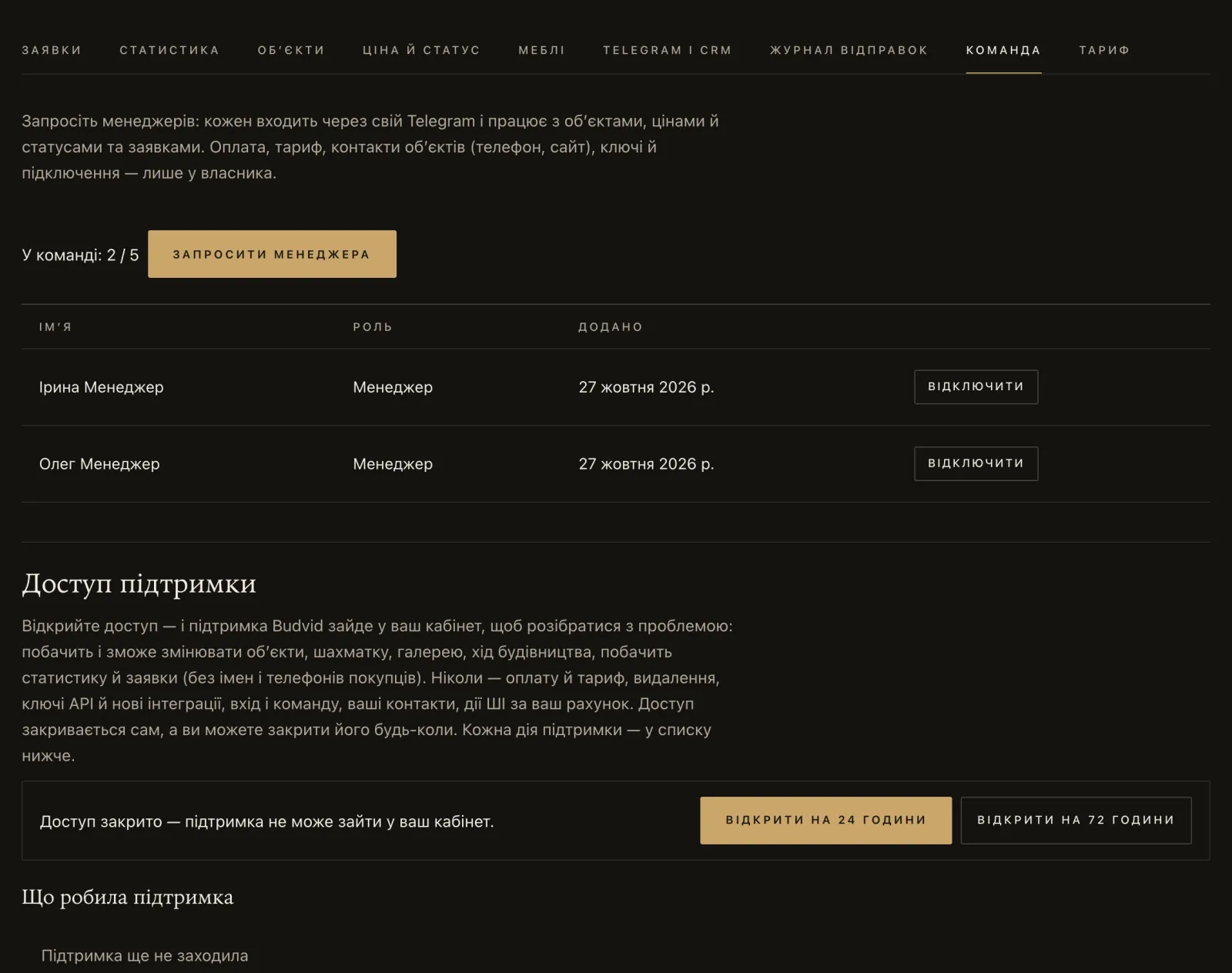
- Invitations: the “Team” tab → “Invite a manager”. The link lives 7 days and works once. You can create one on an active plan when there is a free seat. The team counts the owner too: up to 5 people on “Agency 30”, 10 on “Agency 100”, 30 on “Agency 300”.
- A Telegram account that already has its own cabinet cannot join someone else’s team. So a manager does not sign up on their own — they just open the invitation link.
- Removing someone: the “Remove” button next to them. Their sign-in and all sessions end at once, their personal request chat is switched off, their properties go to “Office — all requests”, and the private-show links they gave in the cabinet are revoked. Links without a “Given by” line (made with an API key or earlier) keep working — check them and revoke them. And take the person out of the team’s Telegram work group.
- Changing the owner: on a plan with the API — “Plan” → “Sign-in”: first “Create a key” in the “API keys” block, then “Unlink”. The new owner signs in with that key and presses “Link Telegram” from their own Telegram. The old owner’s sessions and personal request chat end, and their properties go to “Office — all requests”. Keys made earlier are marked “before the present owner” — revoke them: a key has the owner’s rights. Without the API — through support at hello@budvid.com, confirming that you are the owner. To make a current manager the owner, first remove them from the team.
Moving your listings in
A DIM.RIA feed — all listings in one go
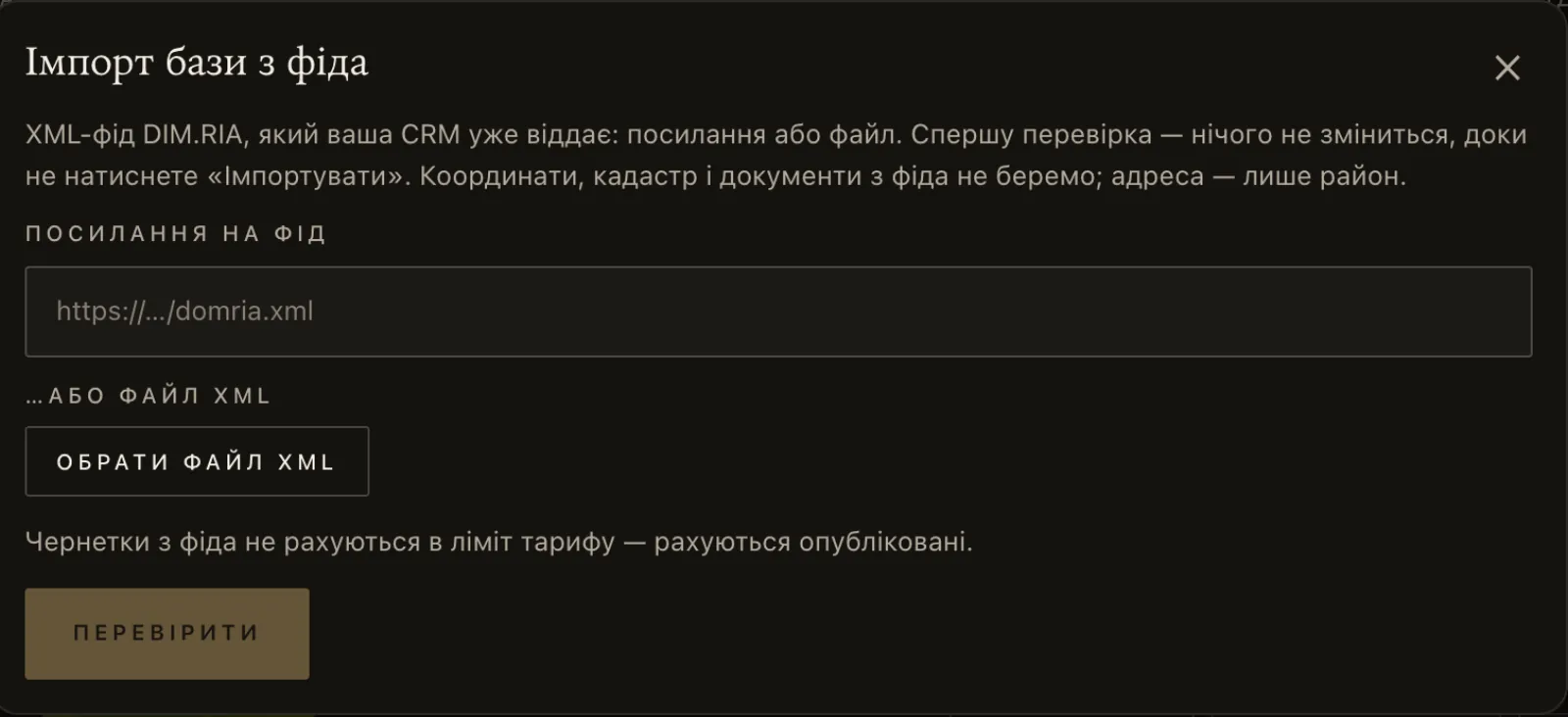
If your CRM already sends listings to DIM.RIA, the same XML feed loads them into Budvid. The cabinet owner does it: “Properties” → “Import the base from a feed” → the feed’s address or an XML file → “Check” (nothing is saved) → “Import”.
| What | How it works |
|---|---|
| Format | A DIM.RIA XML feed in UTF-8. A property is recognised by its local_realty_id. |
| Size | A feed by link or as a file — up to 20 MB. Up to 3,000 listings at a time and 30 photos per listing; up to 2,000 drafts in a cabinet; up to 1,000 feed photos a day. Whatever kept part of the feed from being read (listings without local_realty_id, repeats, over 3,000), the cabinet lists after the check. |
| What we take | Flats and houses (cottages, townhouses, duplexes, dachas) for sale and long-term rent: the deal, price and currency, areas, floor and number of floors, building type, walls, year, heating, condition, bathroom, balcony; for houses — the plot, garage, sauna, utilities, security, shelter. And the description. |
| Title | Not taken from the feed — it is made from a template, for example “2-room flat, 54.5 m² · district”. An agent can change it. |
| What we skip | Daily rentals, listings without a price, rooms, commercial property, land. |
| What we deliberately leave out | Coordinates, the cadastral number, documents and the technical passport, the CRM users’ contacts. |
| Address | Kept in the property’s profile; by default a buyer sees only the district. You can open up the street or the exact address in “About the property” → “Show the address”. |
| Photos | JPEG and WebP by direct links, 800–4096 px, up to 2 MB; PNG photos from a feed are not brought over — the check says how many there are. They are pulled into the gallery as a separate step — the “Bring in the photos from the feed” button, while the import window is open — without a watermark. A test drive has no gallery, so feed photos will not arrive. |
| Agent | All drafts from the feed start with “Office — all requests”; you assign the agent in the cabinet. |
| Importing again | Drafts are updated: the title stays the one in the cabinet, the rest of the draft’s profile — facts, address, photos — is taken from the feed anew. Published properties are not touched. Listings gone from the feed are only listed, never deleted. |
| Plan | Drafts take no room. Only published properties outside the archive count. |
Import is started by hand — there is no automatic sync schedule yet. There is no import from OLX, LUN or other portals.
Floor plans of flats and houses
- We accept JPG, PNG, WebP, PDF (including multi-page) and DXF — the scale is taken from the file. HEIC where the browser opens it (Safari); otherwise save it as JPG.
- DWG is not accepted — save the drawing as DXF.
- An architect’s ready 3D model: .glb, .gltf or .obj with textures, up to 20 MB.
Sales chart — for new builds
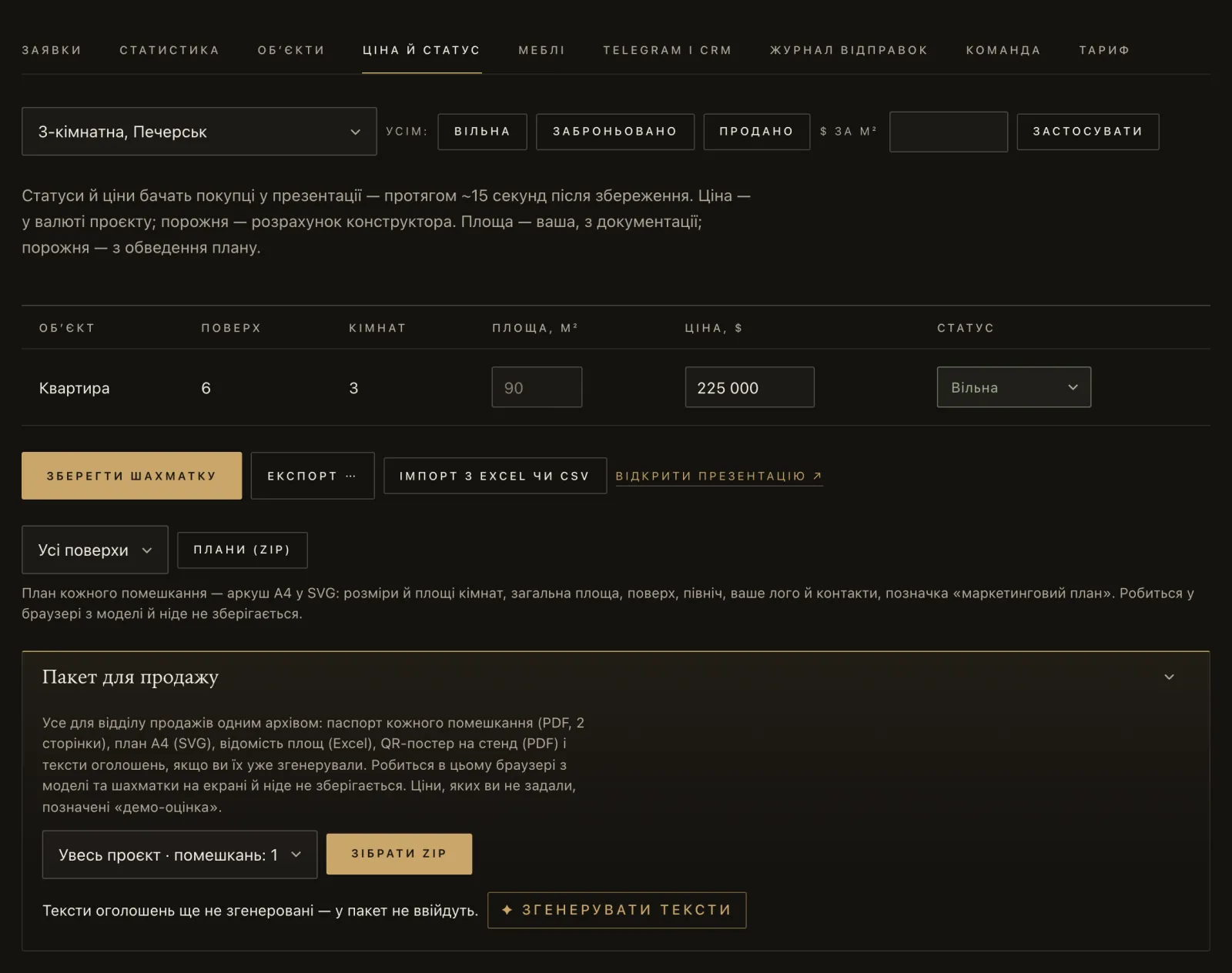
In an agency’s cabinet this tab is called “Price and status”, in a developer’s — “Sales chart”. Prices and statuses do not have to be typed in by hand:
- From a file — “Load from Excel or CSV”: .xlsx or .csv (separator
;,,or Tab; UTF-8 or Windows-1251; headers such as “№ кв.”, “Площа, м²”, “Вартість, $”). Parking spaces and storerooms are recognised separately. Import updates the flats that already exist in 3D — it does not create new ones. The old .xls format is not supported: save as .xlsx or CSV. - From a Google Sheet — “Sync with a Google Sheet”: a sheet published as CSV (File → Share → Publish to web), updated every hour or by a button. A published sheet is open to anyone with the link — remember it is your price list.
- From a CRM by API — see Budvid with your CRM.
A property: from plan to publication
This is how a manager takes one resale flat through Budvid. For a house the steps are the same, plus the plot and floor-by-floor plans.
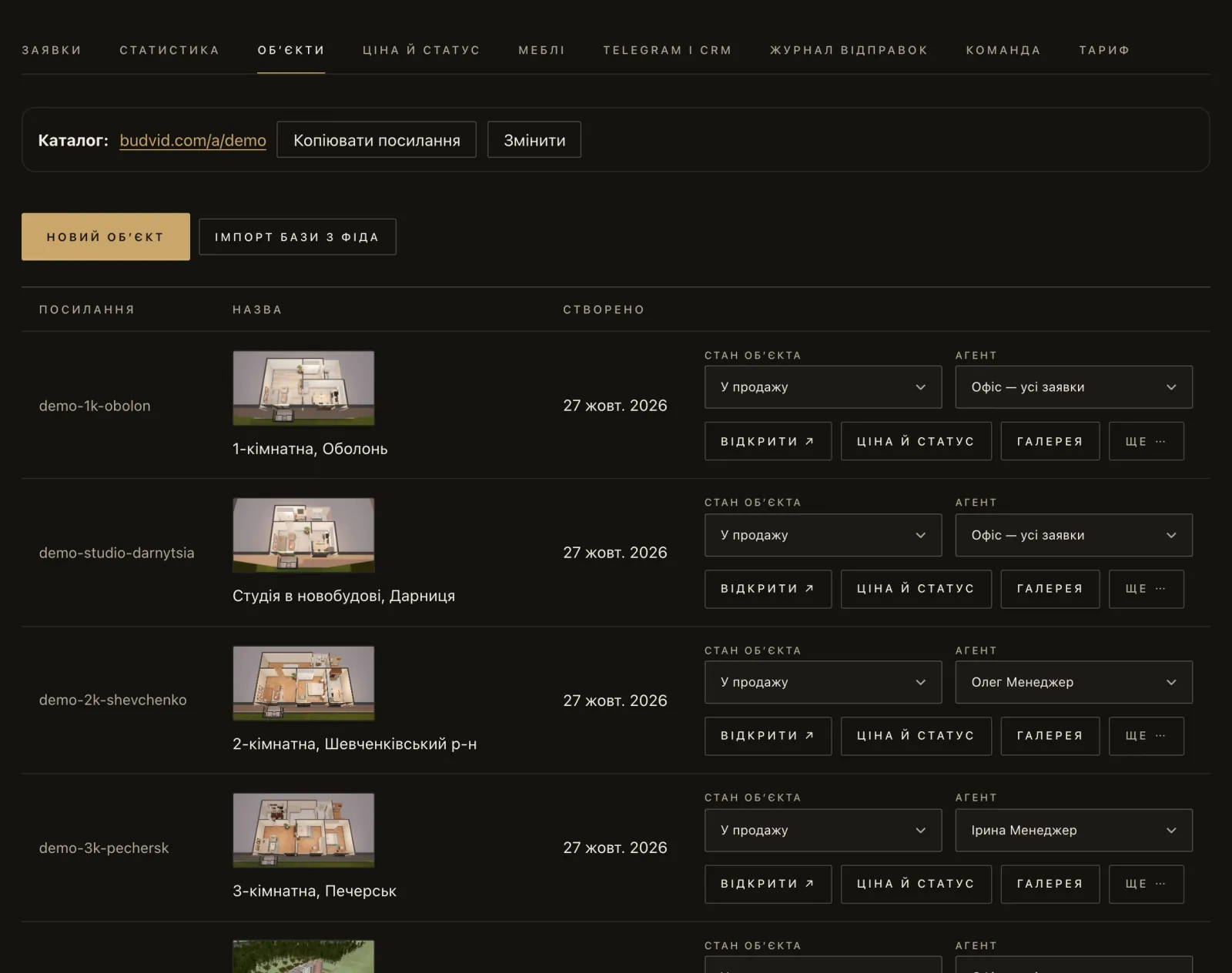
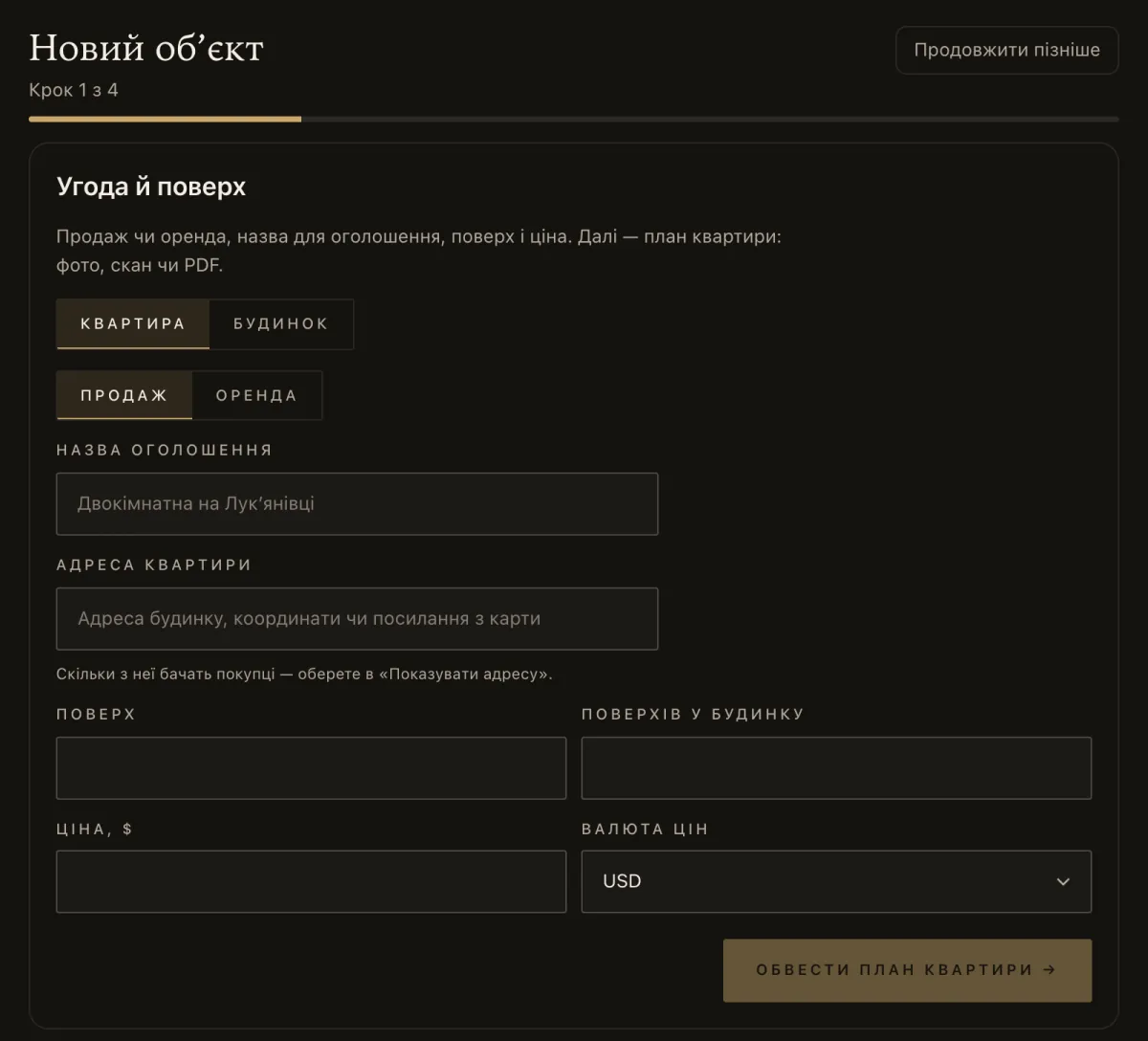
- Create the property: “Properties” → “New property”, or open a draft from the import. The type is “Flat” or “House”; then the deal, title, address, floor and price.
- Upload the plan from the technical passport — a PDF, photo, scan or DXF. AI reads the plan in a few minutes — you check the areas against the room schedule and correct them by hand if needed. Room names as in the documents. Each reading of a plan is one AI action of your plan (on “Test drive” — one for the whole test drive).
- Set the floor — “floor 7 of 9”: the flat stands at its real height, with the view from the window of exactly that floor.
- Surroundings and furniture. Buildings and trees around; where the map is out of date, the agent fixes it: “More” → “Surroundings”. Furniture is placed automatically and can be moved.
- Fill in “About the property”: price, floor, kitchen, balcony, condition, heating; for a house — plot, bedrooms, bathrooms, garage, pool, utilities. Buyers see only what is filled in.
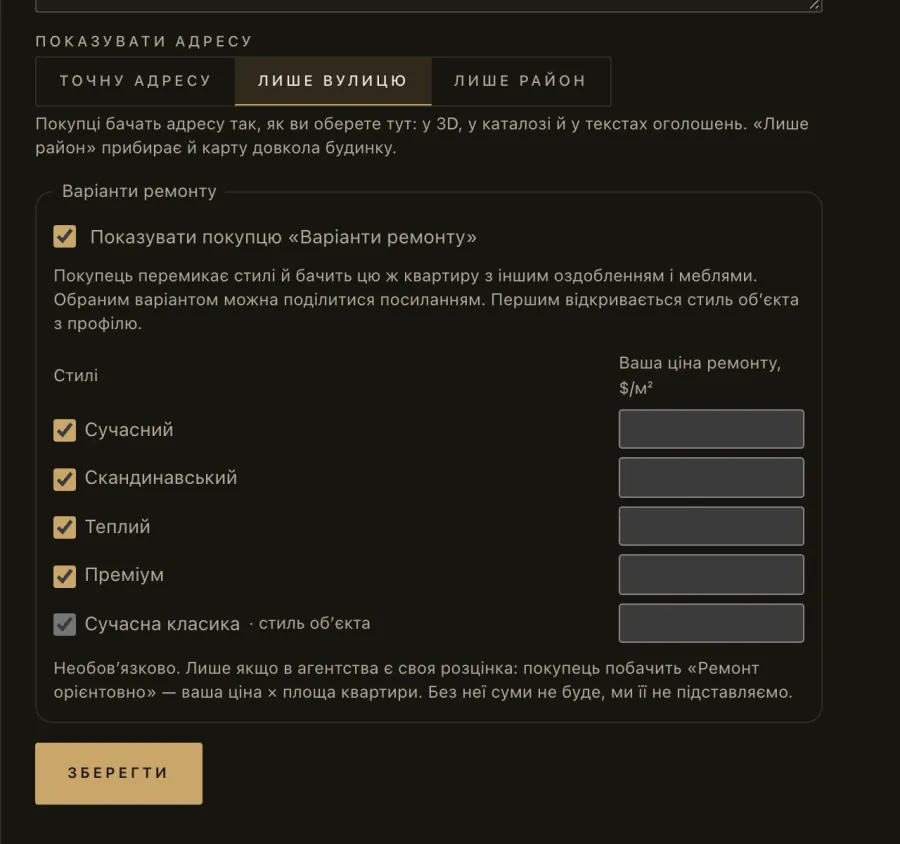
- Choose how much of the address to show — “Show the address”: “Exact address”, “Street only” or “District only”. A new flat defaults to “Street only”; a new house and a property imported from a feed — to “District only”. With “District only” the buildings and trees around are not shown — neither on the map nor in the view from the window.
- Add photos and 360° panoramas — “Gallery”: up to 30 photos and 10 panoramas per property on agency plans. Phone photos are compressed in the browser and the location data is removed. Photos you upload from the cabinet get the agency’s watermark by default — it is turned off in “Watermark on photos” in the “Catalogue” form; panoramas and feed photos get none.
- Confirm the owner’s consent — “I have the owner’s consent to show this flat” (for a house — “I have the owner’s consent to show this house”). A resale property is not published without it; the cabinet records who confirmed it and when.
- Publish. The property appears in the agency’s catalogue and gets a
budvid.com/p/…link and code for your website (“More” → “Embed code”). Resale pages are closed to search engines, for the owner’s privacy. - Listing texts: “More” → “✦ Listing text” — ready texts for OLX and DIM.RIA, for Instagram and for your website. Each run is one AI action of your plan.
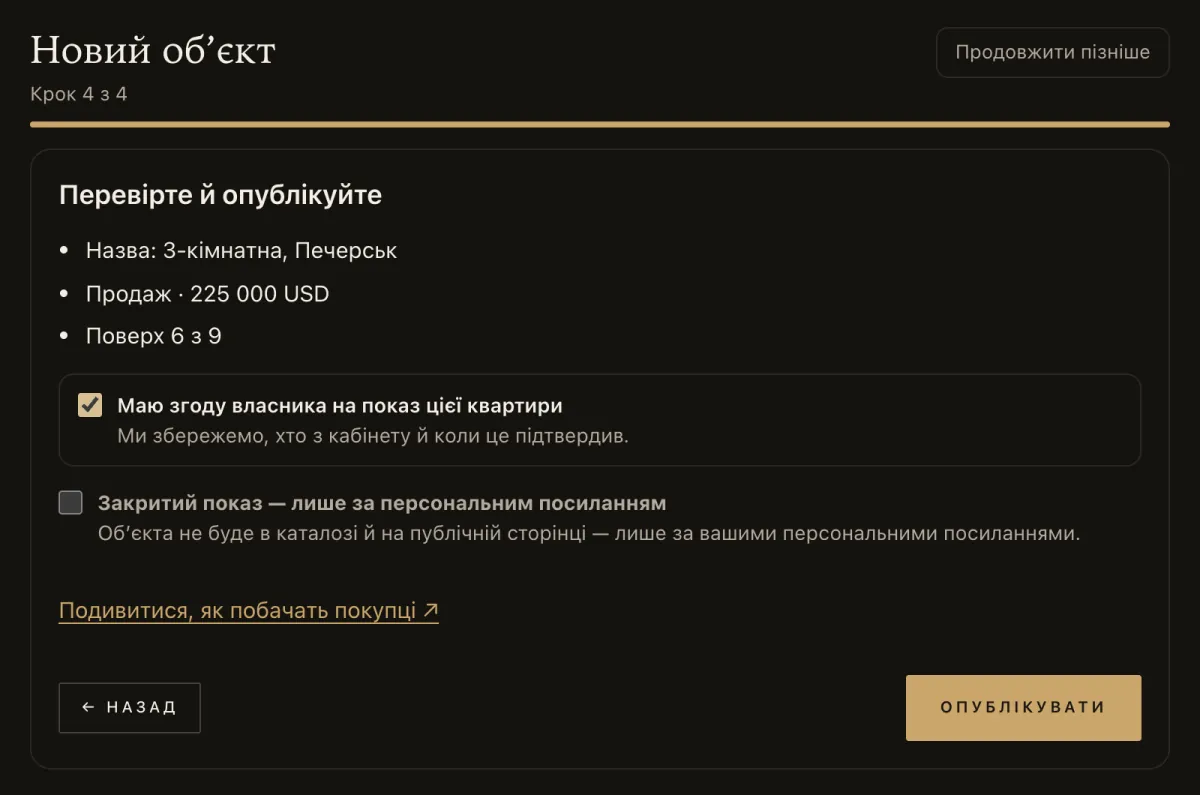
A house created in the wizard is marked “Private show — by personal link only” by default. It appears in the catalogue once you untick that box.
Sold — to the archive
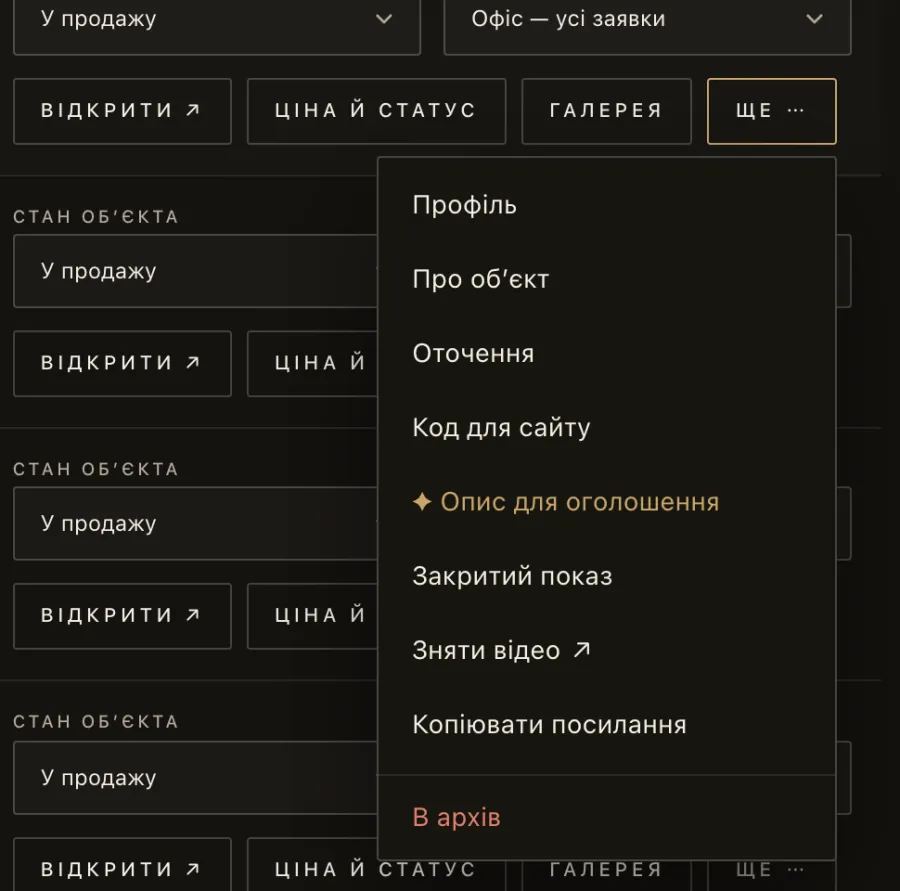
In an agency’s cabinet a sold property goes “More” → “Archive”: it leaves the catalogue, frees its place in the plan, its link stops opening and new requests are not accepted, while the data stays in the cabinet. Only the owner can delete a property for good — together with its requests, statistics and files. It is deleted from the archive: the cabinet first offers to save the property’s requests as CSV, and if they cannot be read, the deletion stops.
What the buyer sees
A buyer gets a link in a messenger or finds the property in the catalogue. Nothing to install, no sign-up.
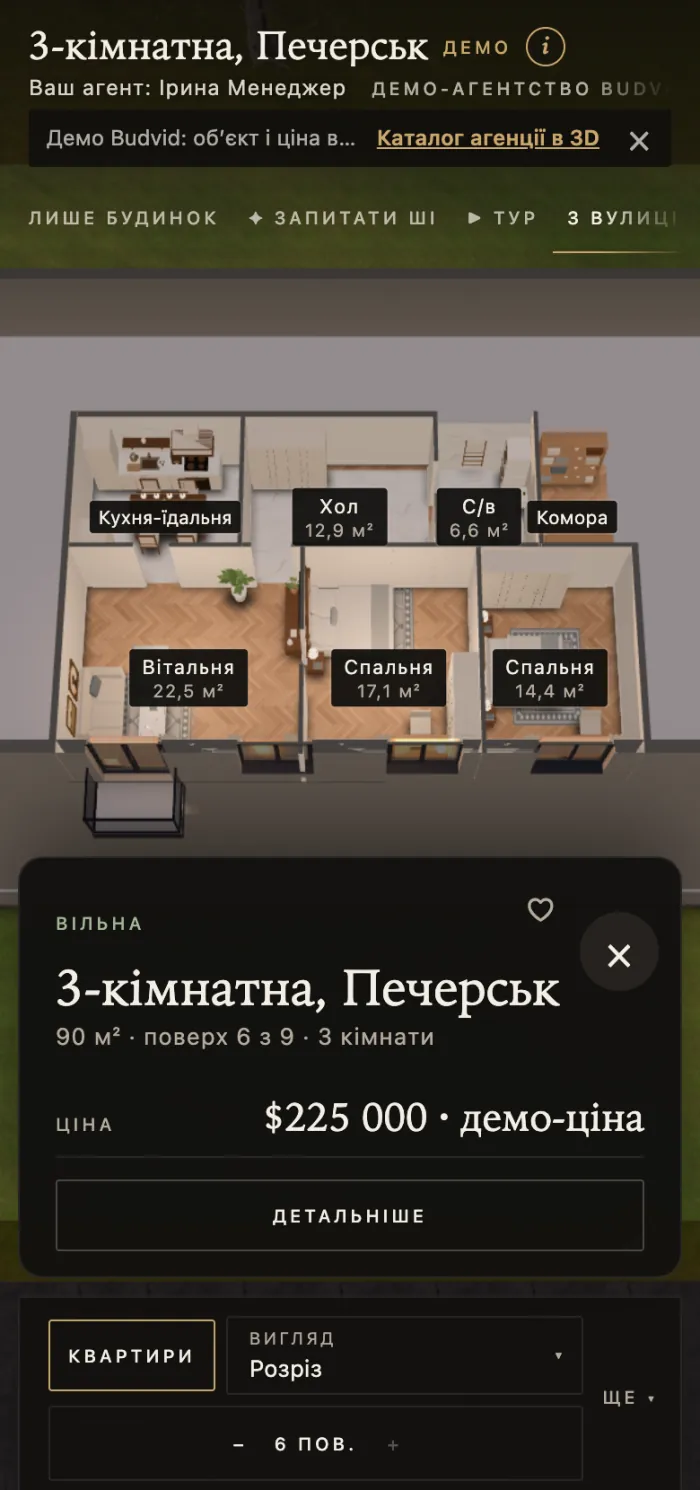
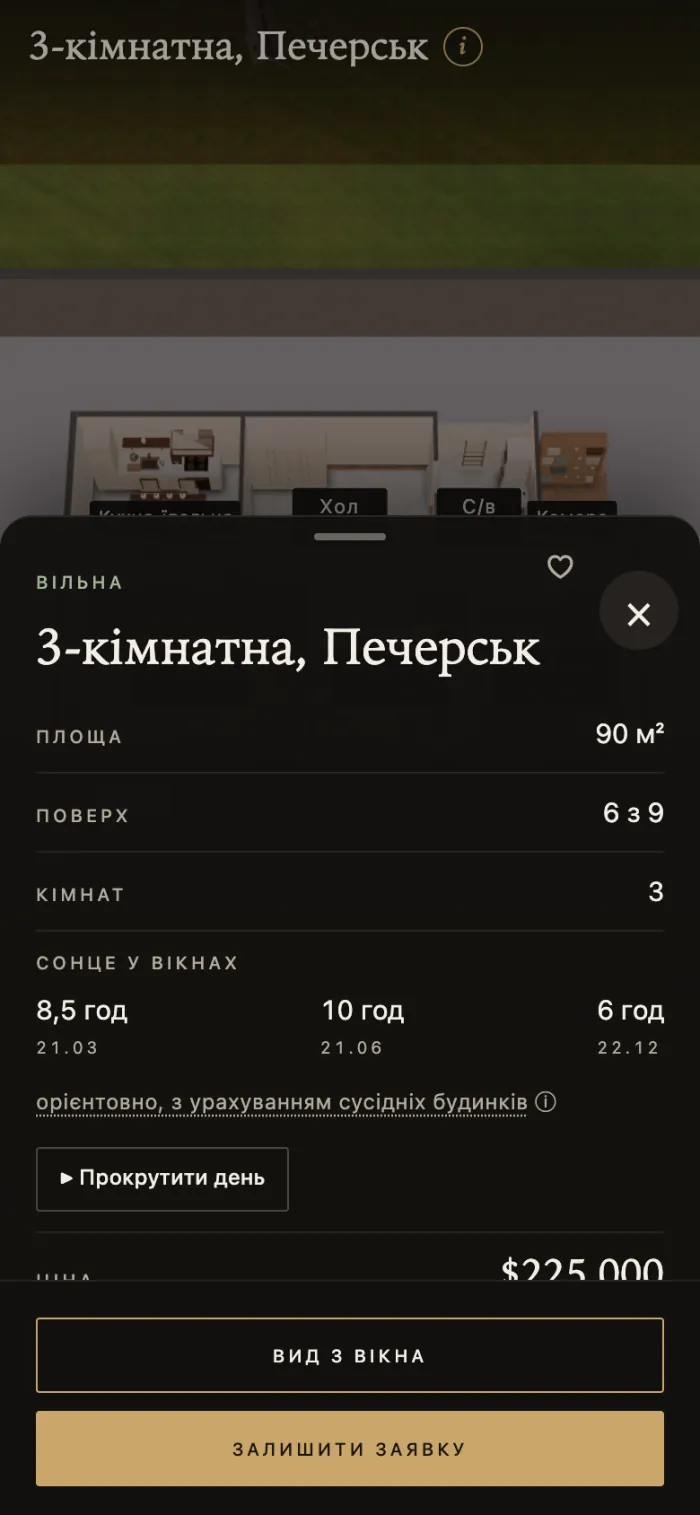
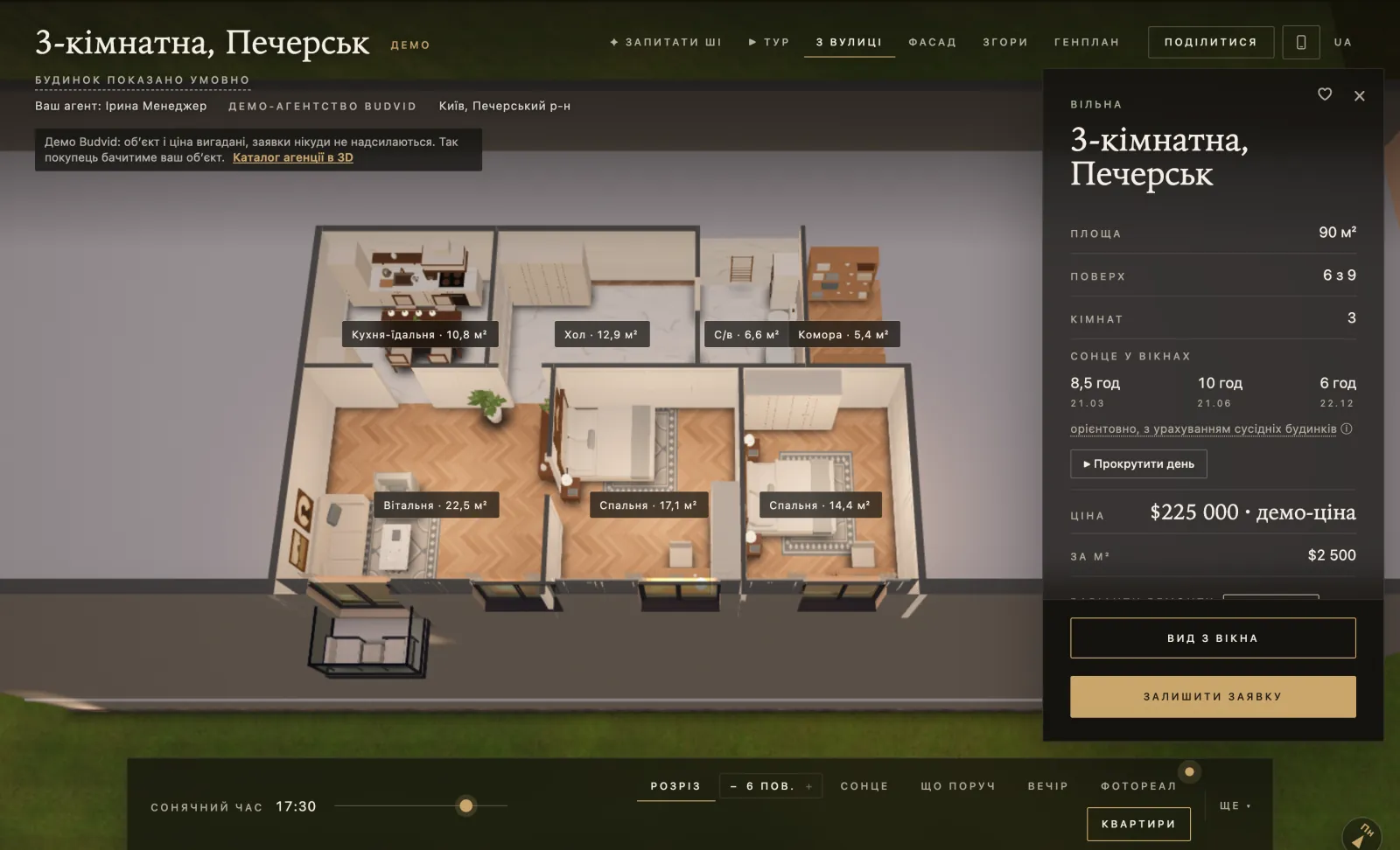
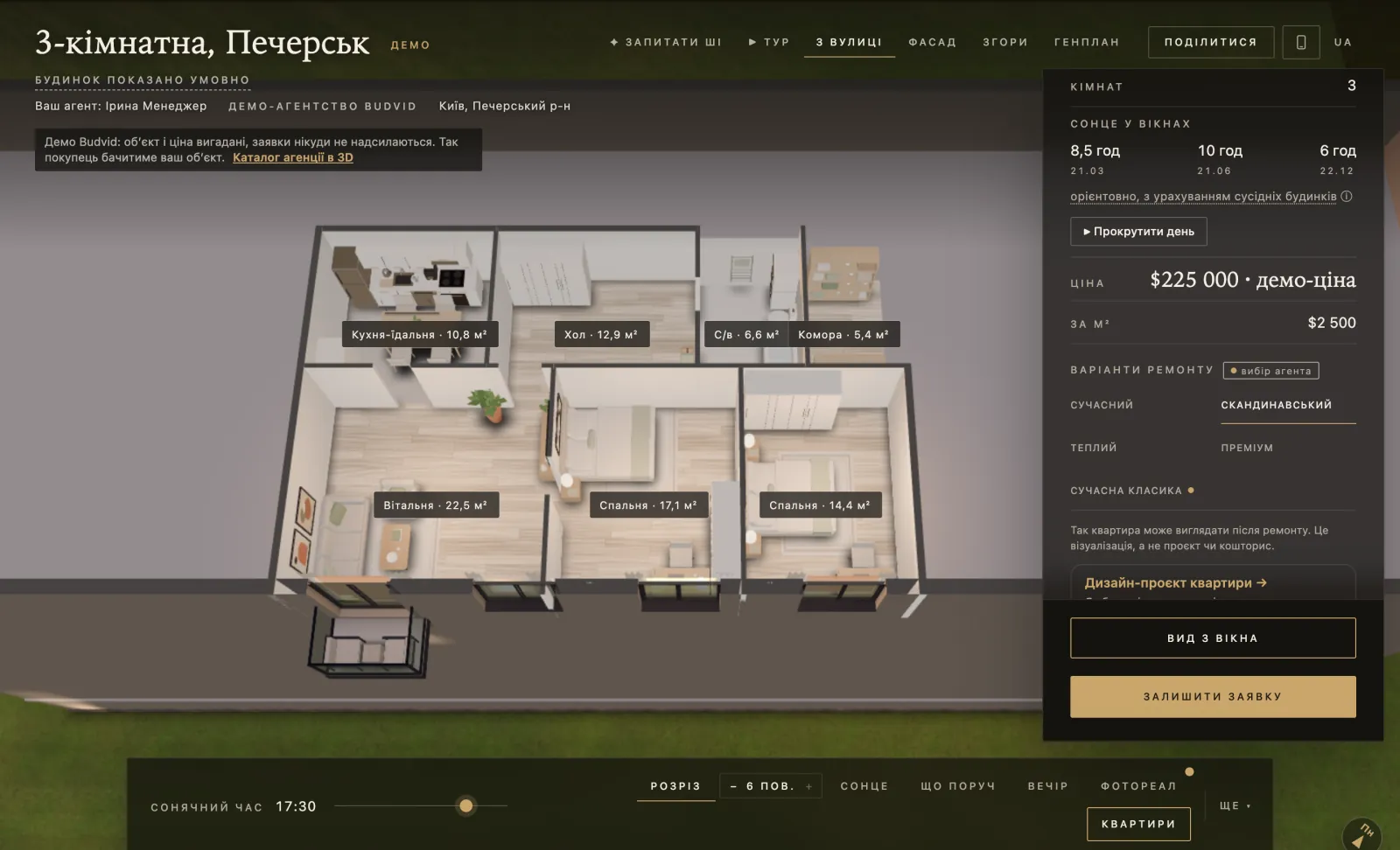
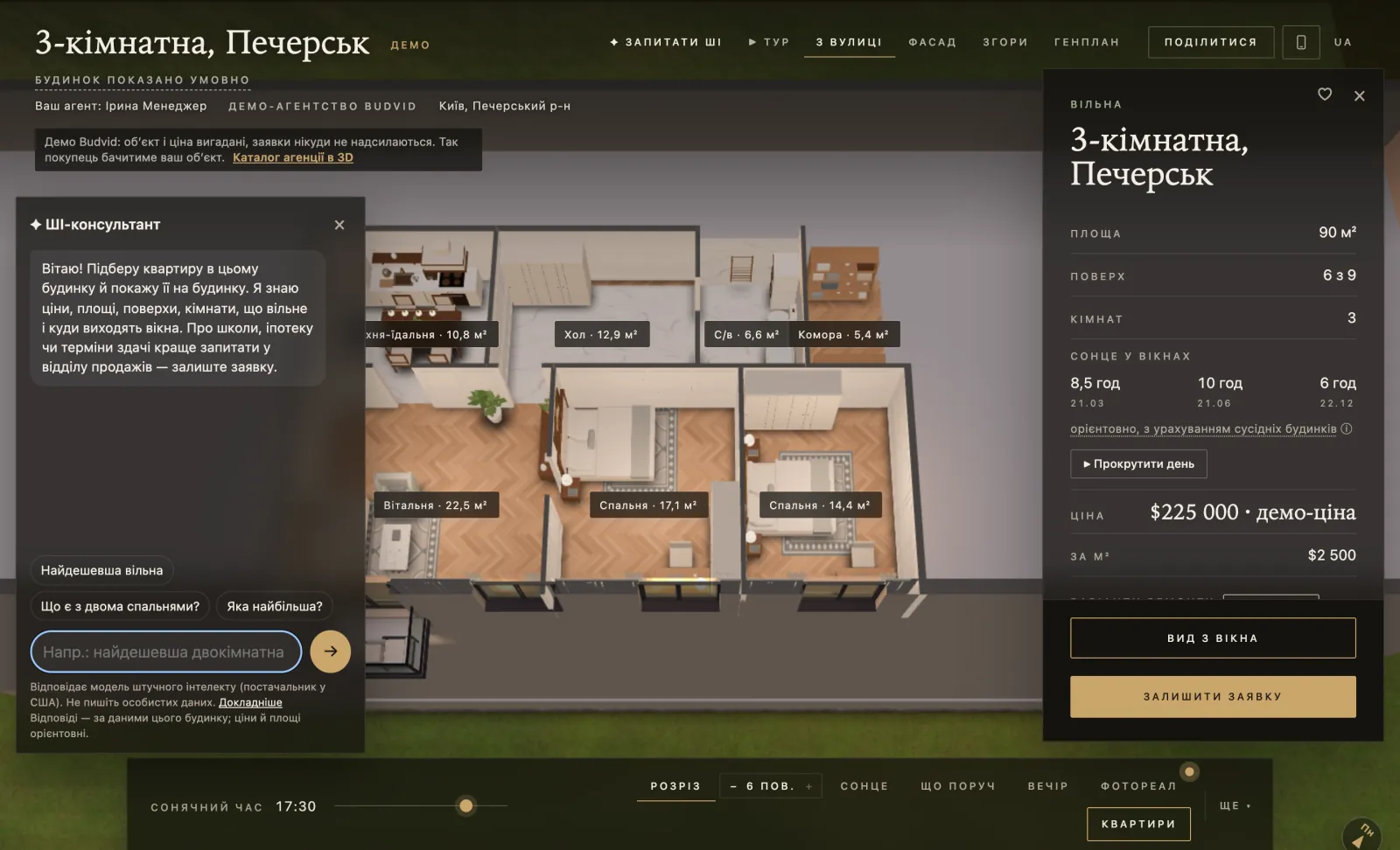
- The flat in 3D with furniture — turned with a finger on a phone; a top view and an automatic “▶ Tour”.
- The view from the window at the real floor and the building’s surroundings; the sun by time of day.
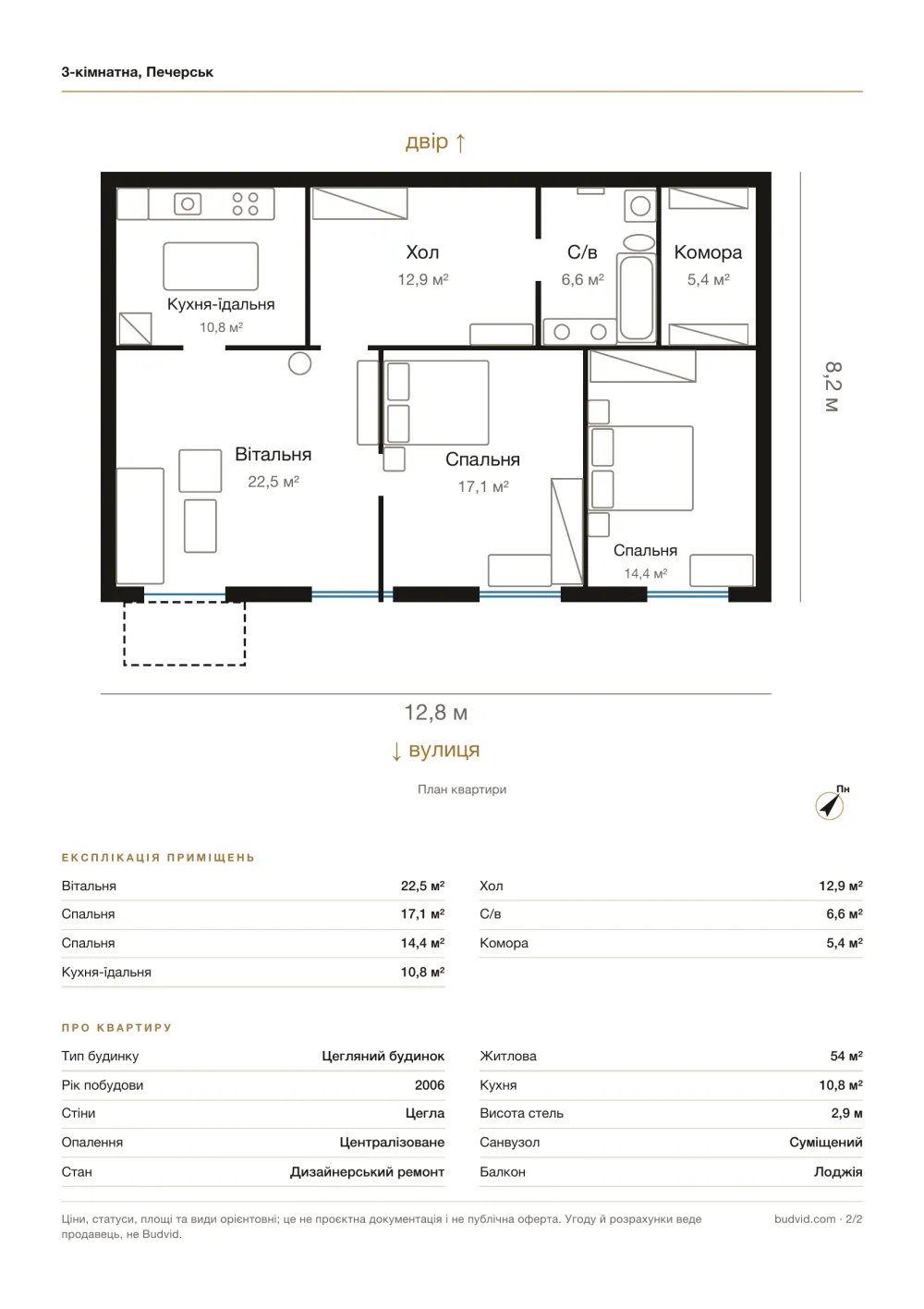
- Floor plans with areas; a house has a separate basement tab.
- “Renovation options” — the same flat in several styles. The agent turns them on in “About the property”.
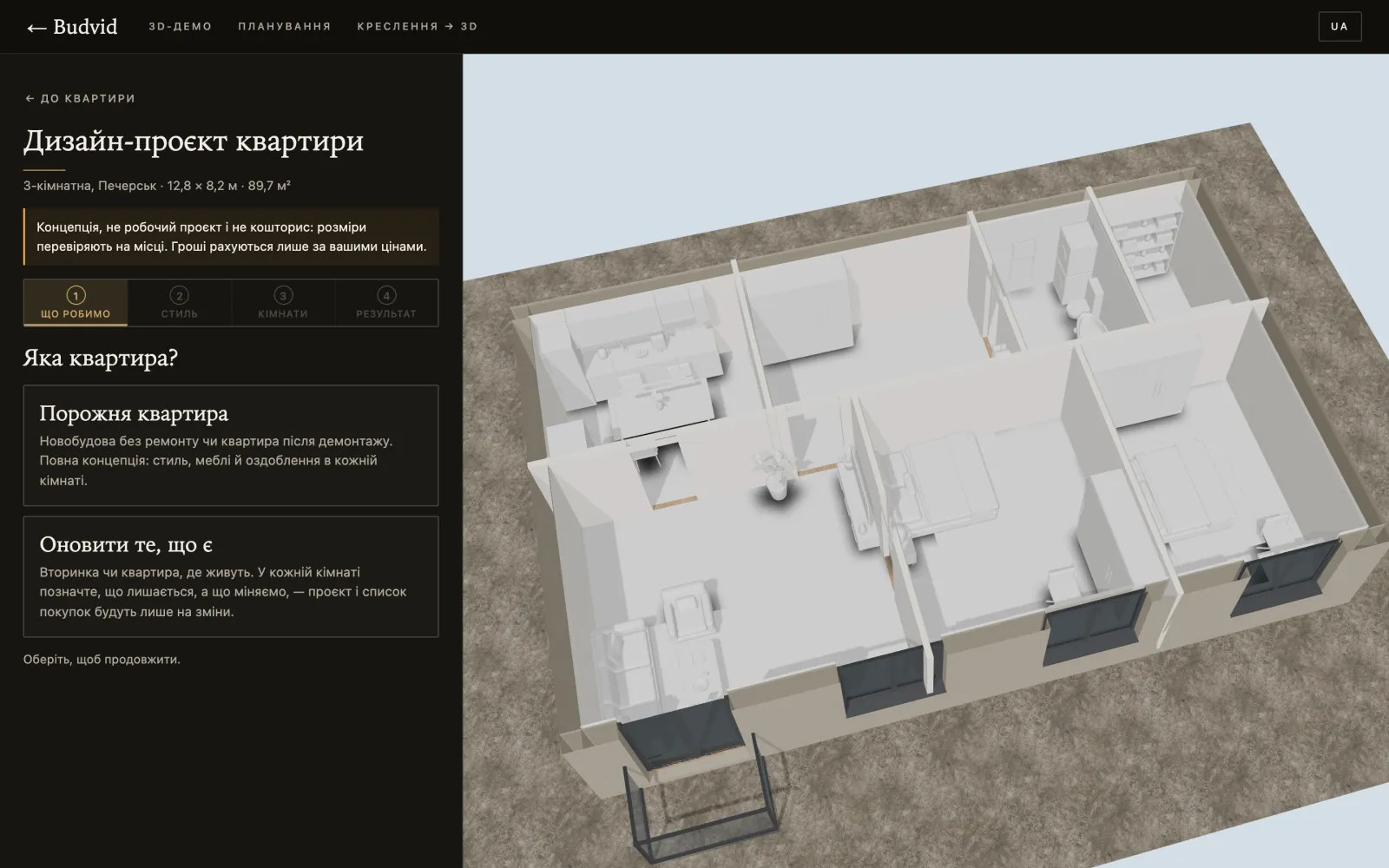
- “Flat design project” — room by room: for an empty flat or “Update what is there”, with a PDF concept, a shopping list and a “As is” ↔ “After” switch. Money is counted only from prices the buyer or a designer enters.
- The agency’s photos and 360° panoramas.
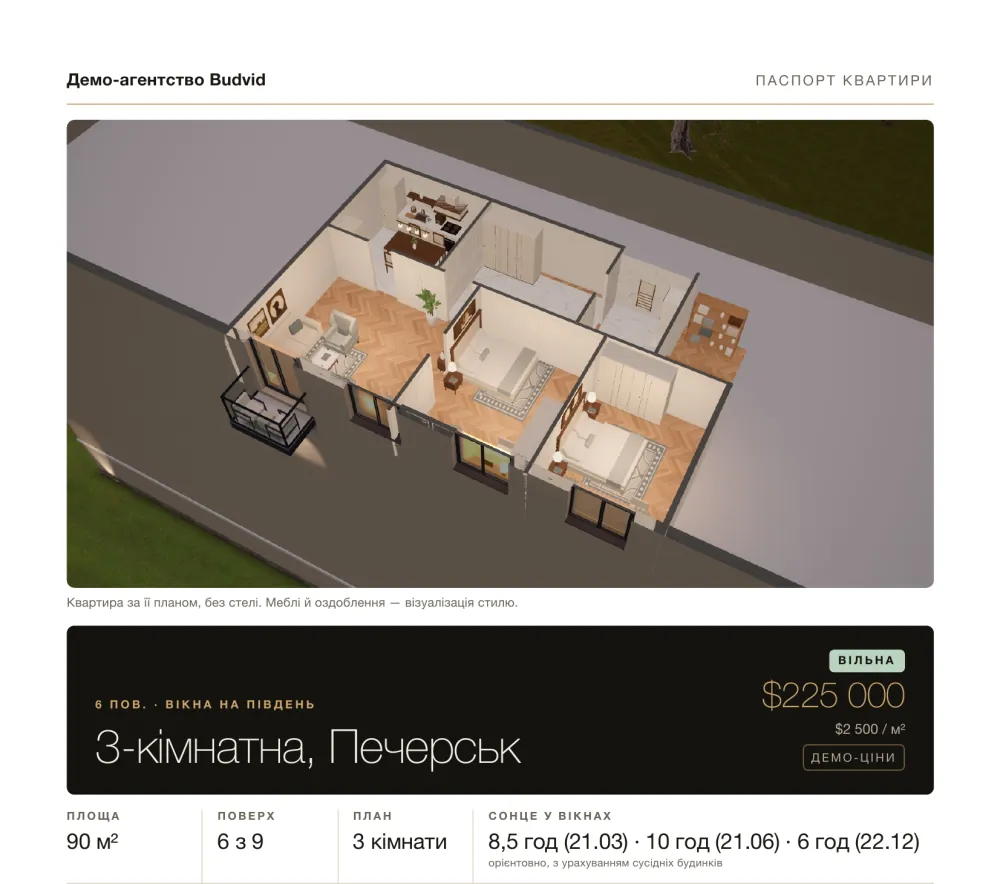
- “Apartment fact sheet” — 2 A4 pages the buyer saves as a PDF with the browser’s print.
- An AI assistant answers questions about the flat in plain words — from the property’s data and in the buyer’s language, within the plan’s monthly allowance.
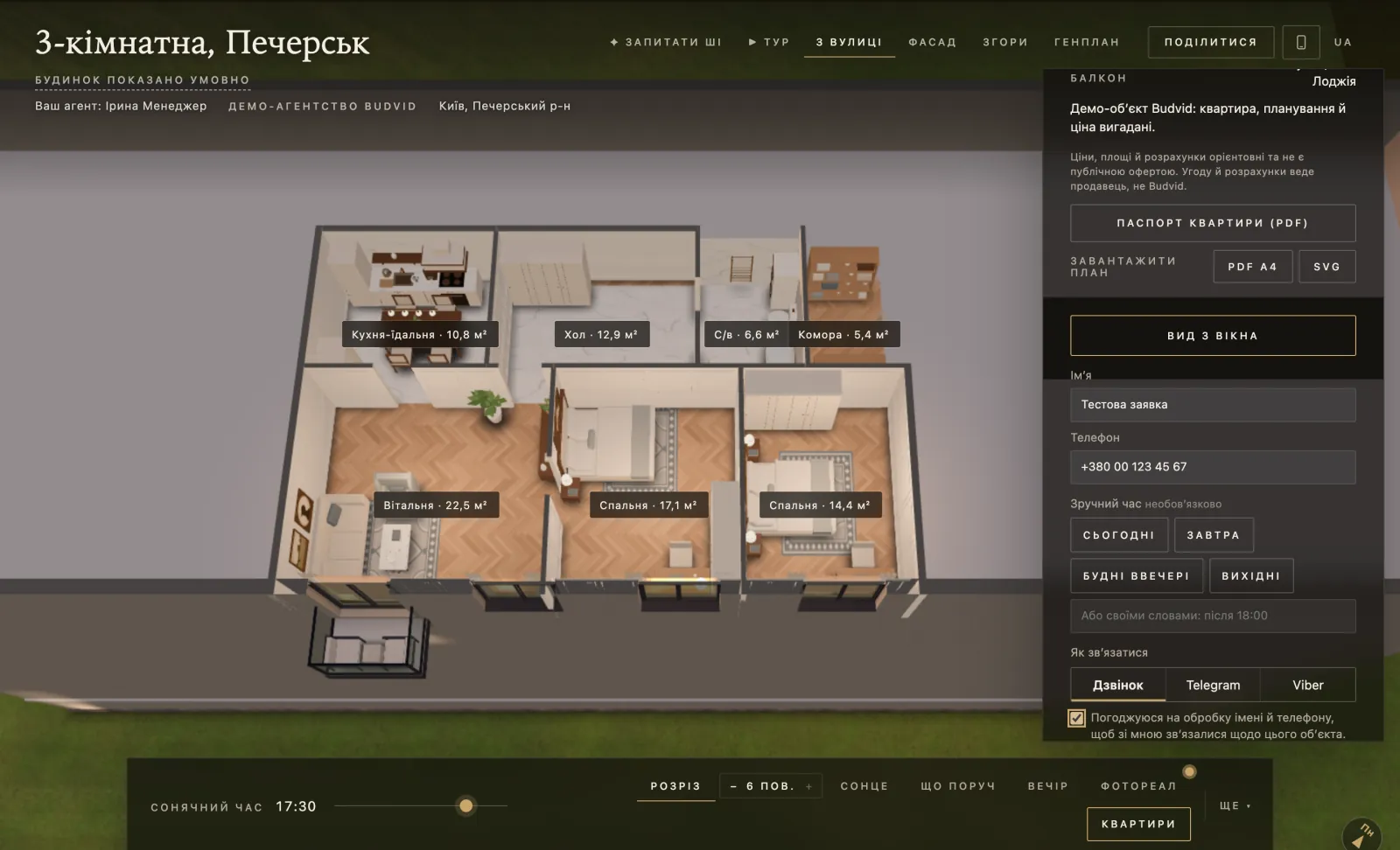
- A request form: name, phone, a convenient time and the way to get in touch — a call, Telegram or Viber.
Agency catalogue
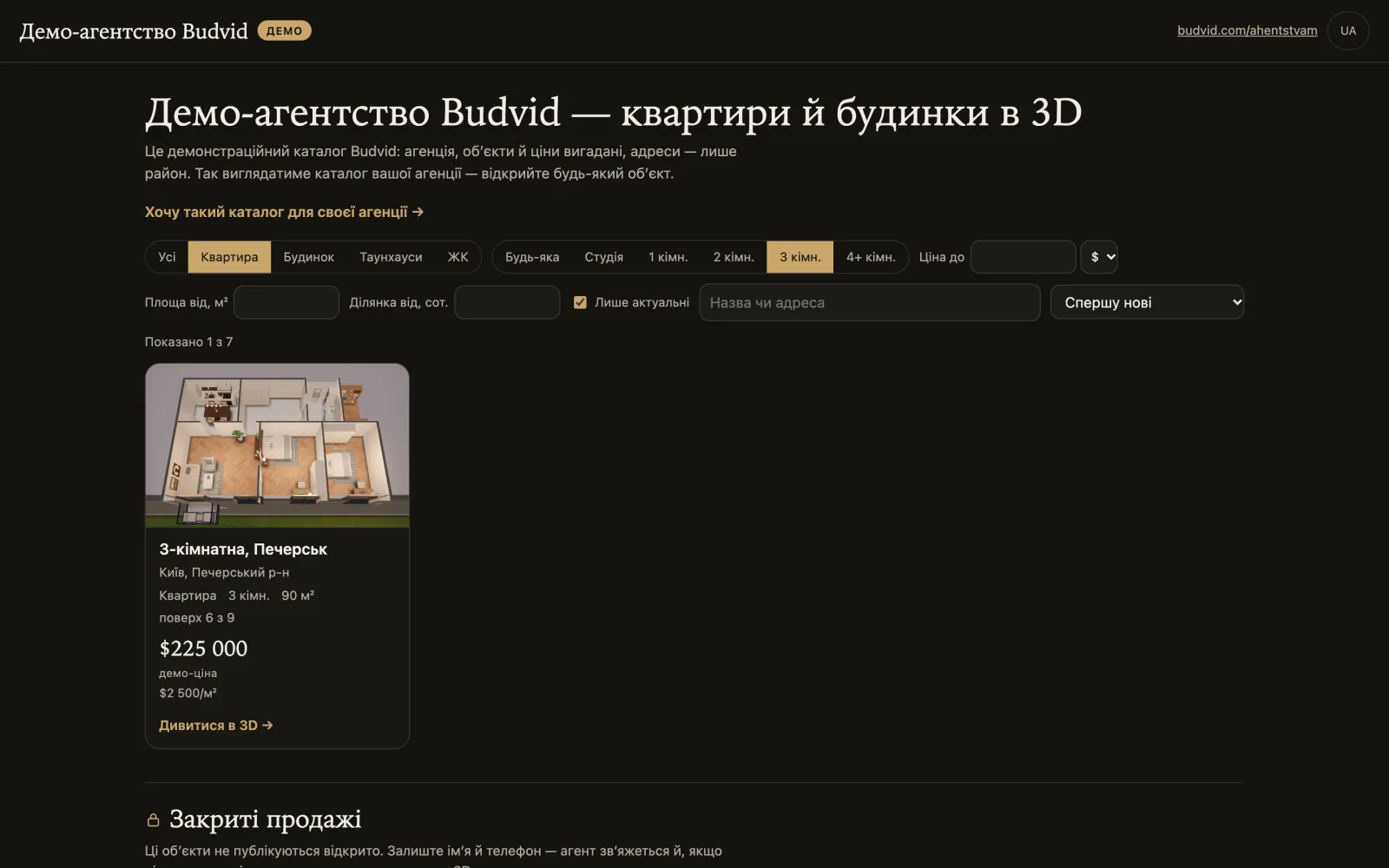
- The address is
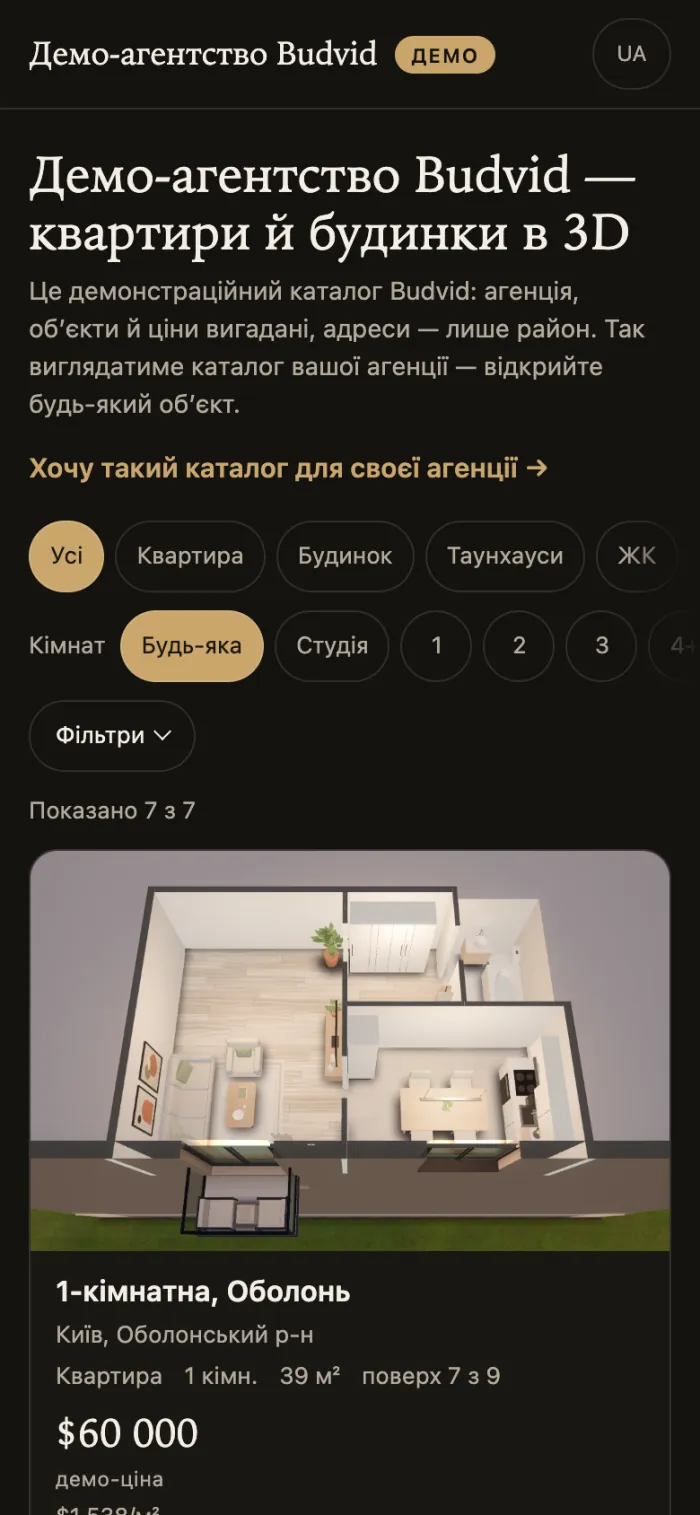
budvid.com/a/<your-name>: 3–40 characters, Latin letters, digits, hyphens. - Brand: name, phone, website, address, logo and accent colour.
- All published properties in one place: flats, houses, townhouses, new builds.
- Filters: type, rooms, price, area; for houses — the plot. A card says it plainly: “floor 7 of 9”, “Studio”, the area as in the documents.
- “Find me a home” — a request without a particular property: the deal, budget and currency, rooms, district.
- Private properties — as an anonymous “Price on request” card, if you turn it on (see private sales).
A demo catalogue you can open right now: budvid.com/a/demo.
Private sales (off-market)
For expensive properties that are not published openly. Available on “Agency 30”, “Agency 100”, “Agency 300”, “Developer” and “Premium”.
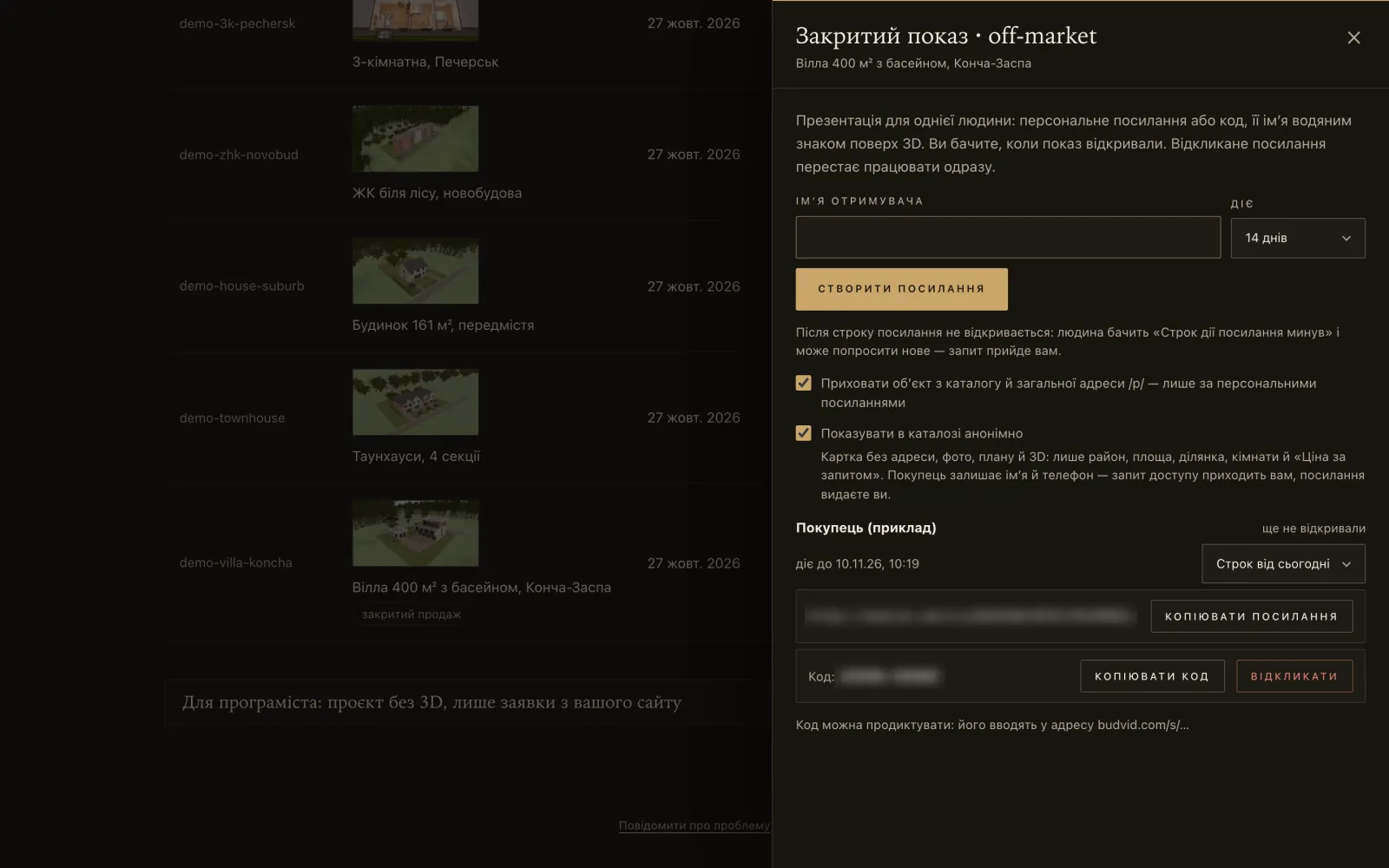
- Turn on the private show: “More” → “Private show” and tick “Hide the property from the catalogue and the public /p/ address — personal links only”. The property leaves the catalogue, and its usual link, photos and files stop opening.
- Issue a personal link in a particular buyer’s name. It lasts 3, 7, 14 (the default) or 30 days, or without a limit. Up to 200 links per property, revoked ones included. Each link has a short code you can dictate over the phone.
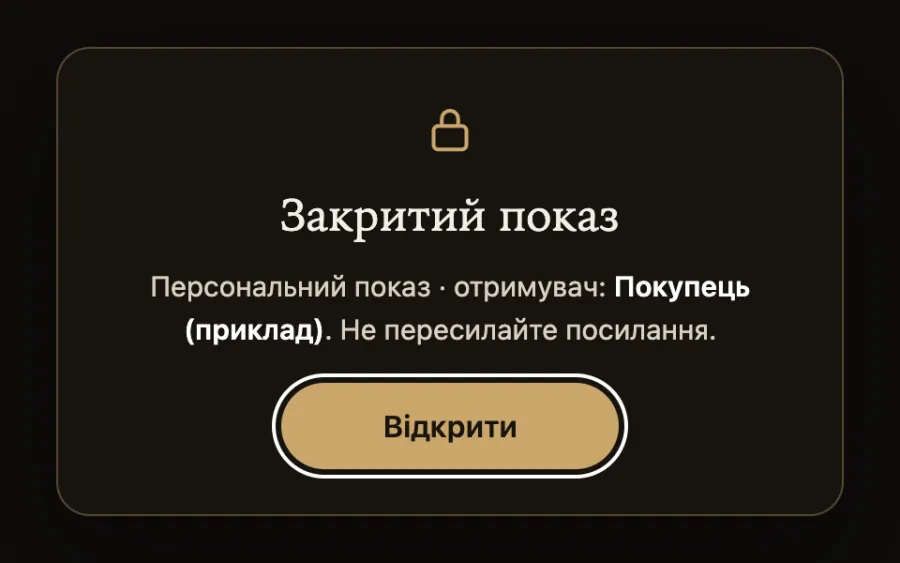
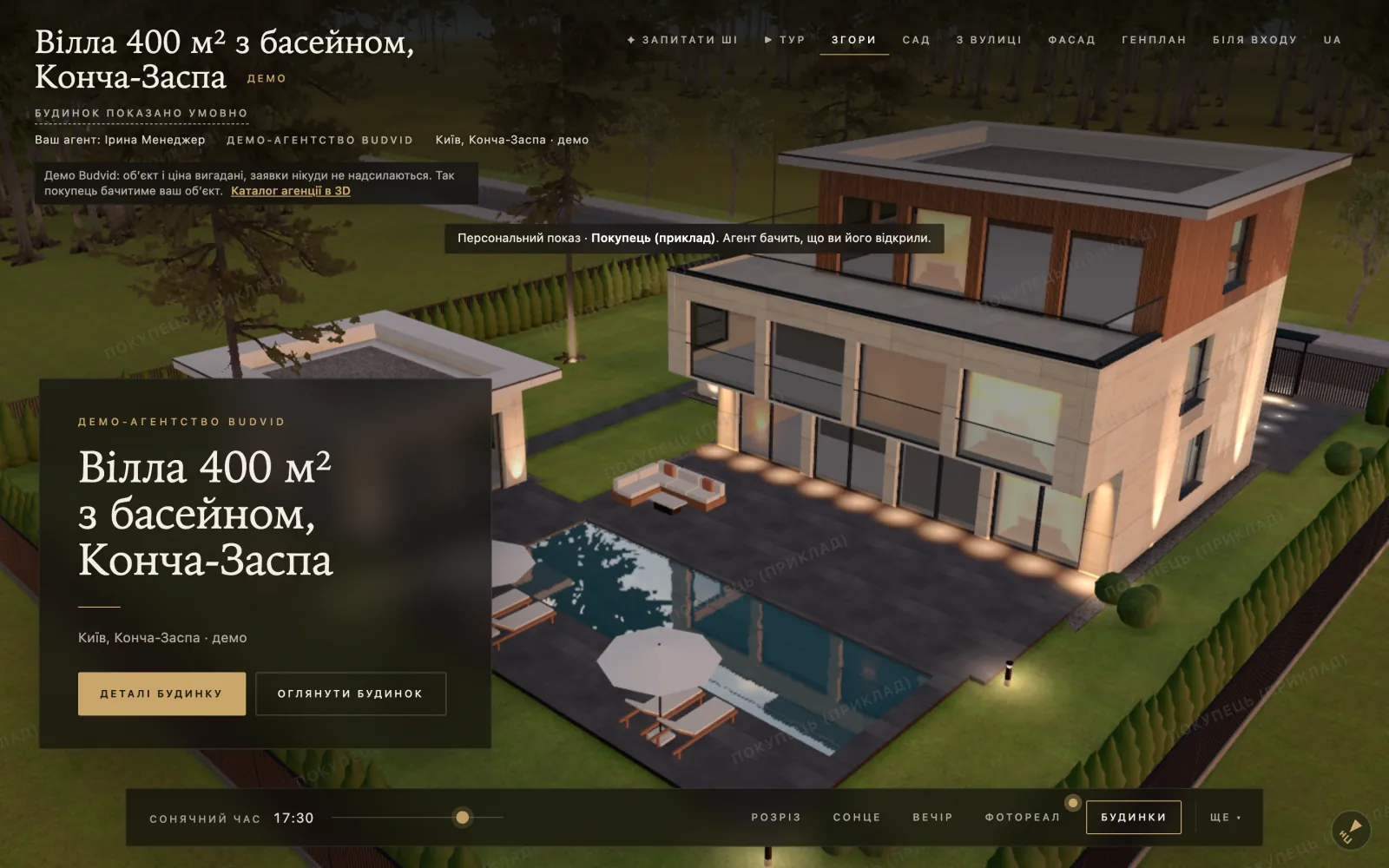
- The buyer opens it and confirms: “Personal show · recipient: {name}. Please don’t forward the link.” Their name is a watermark over the 3D and on every page of the PDF — any screenshot shows whose show it is.
- The agent sees when and how many times the link was opened, and beside each link — who gave it. Opening it with the cabinet’s button does not count. When the owner removes a colleague, the links they gave are revoked automatically.
- Revoke a link instantly. An expired link shows an “Ask for a new link” button — it reaches the agent as a request.
What does not leak
- The address — only the district and city: no street, no point on a map, not in the PDF, not in the link preview. We do not anonymise the property’s title and description — do not put the street in them.
- The link preview in messengers says just “Budvid”, with no photo or description; the page is closed to search engines.
- Budvid support cannot open the private shows section even with access granted.
An anonymous card in the catalogue
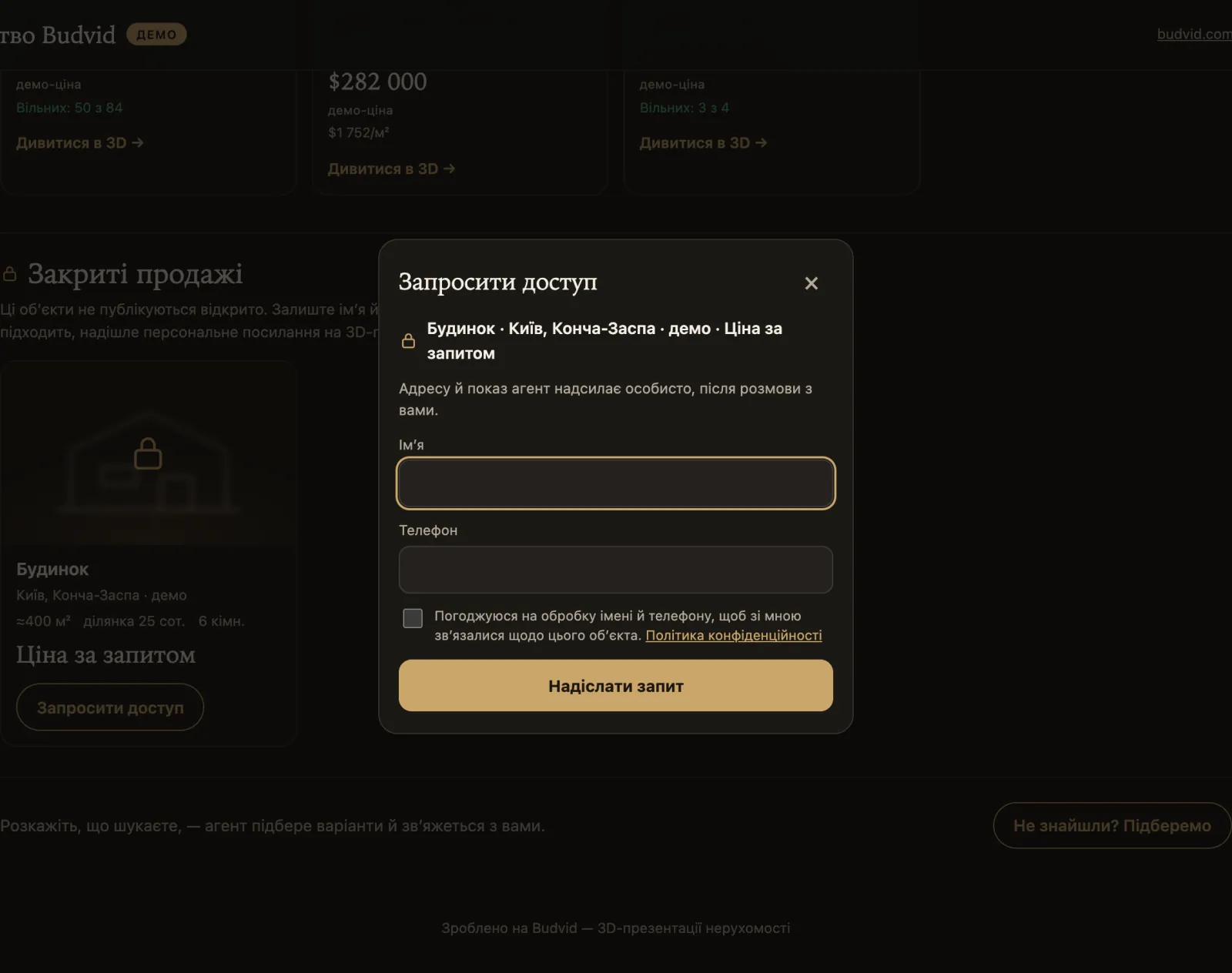
If you wish, a private property is shown in the catalogue without a title, address or photos: type, district, area (rounded), plot, rooms, “Price on request” and a “Request access” button. The buyer leaves a name and phone; the agent issues them a personal link with one button — or does not.
Requests
Where they come from
| Source | What the request holds |
|---|---|
| The form on a property’s presentation | Name, phone, the flat; a convenient time and way to get in touch |
| “Find me a home” in the catalogue | The deal, budget and currency, rooms, district |
| “Request access” on an anonymous card | Name and phone — a request for a private show |
| “Ask for a new link” | A repeat request from an expired personal link |
| A screen in the sales office | Like an ordinary request |
A name, a phone and the data-processing consent box are required — without the box a request is not accepted. A second box (off by default) adds a “visit brief”: what the buyer looked at, saved and asked the assistant, so the manager is ready for the call. The brief goes to Telegram and the CRM; it is not in the “Leads” tab or the CSV.
Where they go
| Where | How |
|---|---|
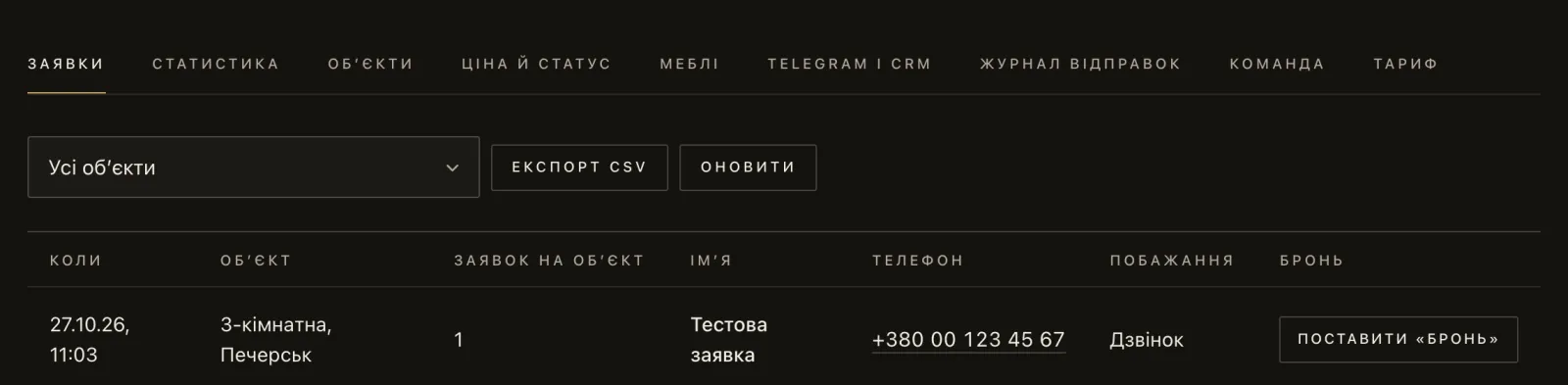
| The cabinet, “Leads” tab | Always |
| The owner’s Telegram | Through the Budvid bot, no setup — “Connect Telegram” |
| An agent’s Telegram | Only requests on their properties |
| The team’s work group | Through the agency’s own bot: “Telegram and CRM” → “Your own bot, a work group or a CRM” |
| CRM | A webhook to your address — see integrations |
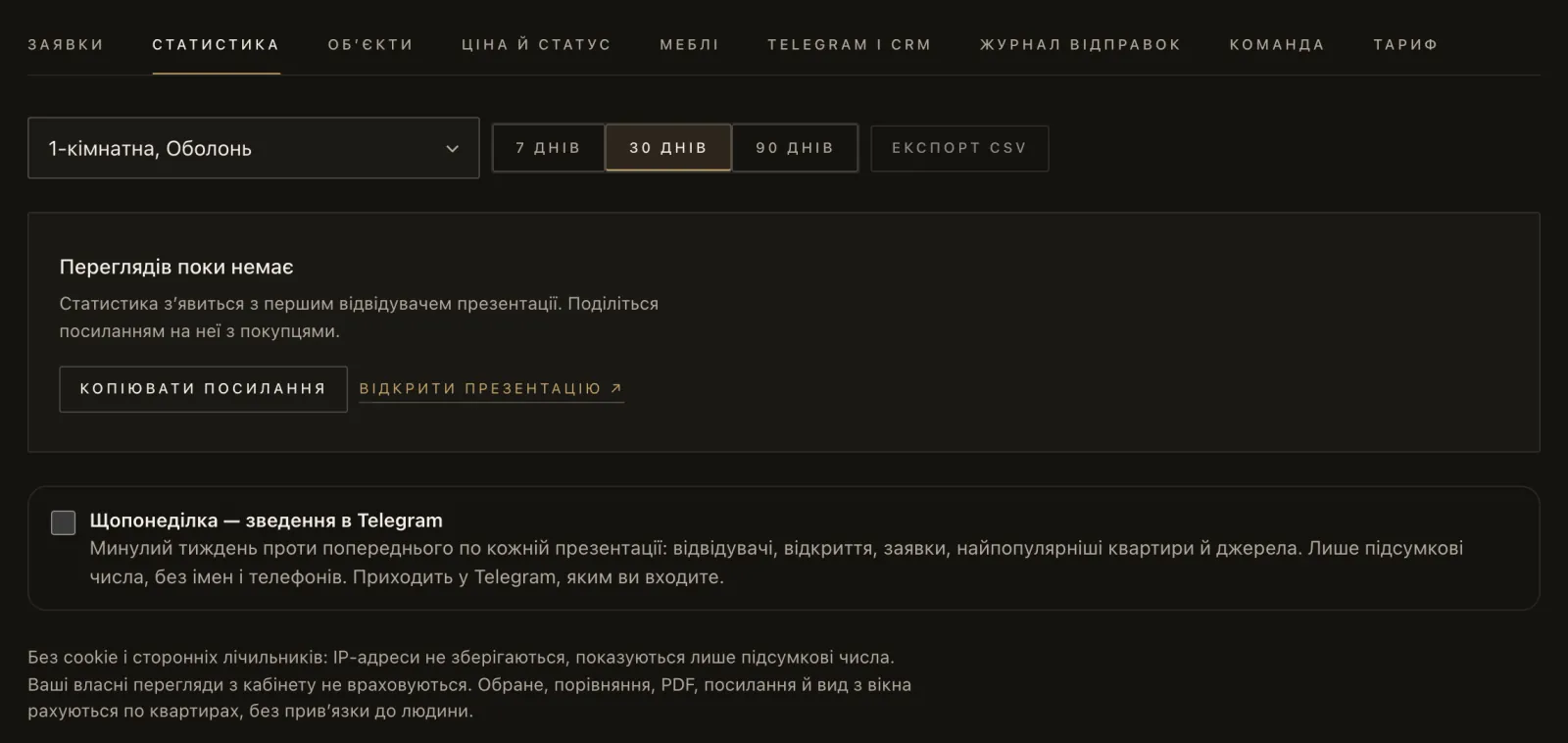
- Telegram messages are in Ukrainian, with buttons to open the property, put a flat from the sales chart on hold, and issue a link for an access request.
- Every chat counts towards the plan’s “Telegram chats” limit.
- If the plan has ended, requests are still delivered — with a reminder to renew.
Export and deletion
- “Download CSV” in the “Leads” tab — the whole list, not just the page shown, as CSV (UTF-8): date in Kyiv time, property, flat, name, phone, comment, language, type, convenient time and its details, way to get in touch, deal, budget, currency, rooms, district. Columns are separated by a semicolon and the phone stays text with its “+”. If Excel puts everything into one column, open the file with Data → From Text/CSV. If some requests could not be loaded, the cabinet says so and offers to save only those shown — such a file is marked “partial”.
- JSON by API —
GET /v1/leads, page by page, on plans with the API. - Only the owner can delete a request at the buyer’s wish — with the “Delete” button on its row in the “Leads” tab, or by API. Copies in Telegram and the CRM stay there.
Integrations
The full description of the webhook and the API, with sample requests and signature checks, is on Budvid with your CRM. Here — briefly, what is where.
Requests into your CRM
- Cabinet → “Telegram and CRM” → “Your own bot, a work group or a CRM” → “HTTP (CRM)” → “Address (https)” → “Create”.
- Save the signing secret — it is shown once.
- The “Test” button sends a test event; your server’s response code shows in the “Delivery log” tab.
There are no ready-made modules for particular CRMs: the webhook is universal — JSON with an HMAC signature in the X-Budvid-Signature header. Bitrix24, KeyCRM, Binotel or your own system needs a small handler or a middleware service.
API
| What | How |
|---|---|
| Where | “Agency 100”, “Agency 300”, “Complex”, “Developer”, “Premium”. “Agency 30” has no API. |
| Service address | On the cabinet’s sign-in screen: “Or with an API key” → the “Service address” field. The field is already filled in — do not change anything in it. |
| Key | Created by the owner: “Plan” → “API keys”. Up to 5 active; shown once. A key has the owner’s rights: keep it on a server, never in a browser. A key writes only while a plan with the API is in force — otherwise the answer is 402; reading still works. If the cabinet has passed to a new owner, keys made earlier are marked “before the present owner” — revoke them. |
| Limit | 300 requests a minute across all of the cabinet’s keys. |
What it does: send a new build’s prices and statuses from your CRM to the sales chart, and fetch requests as JSON. Examples are on Budvid with your CRM.
A presentation on your website
The ready code is in the cabinet: “More” → “Embed code” on a published property (private properties have none). It looks like this:
<iframe src="https://budvid.com/p/<slug>" width="100%" height="640" style="border:0;border-radius:12px" allow="fullscreen" loading="lazy" title="3D"></iframe>- Requests from an embedded presentation travel the same way as from budvid.com.
- Only presentations can be embedded; the cabinet does not open in someone else’s iframe.
Events for Google Tag Manager
An embedded presentation tells your page what the buyer does — with no name or phone. The events: view, unit_open (opened a home), fav_add (saved it), compare_open (compared), pdf, share, lead_sent (sent a request), reno_style (picked a renovation style). The ready code is in the cabinet in the same place, “More” → “Embed code”, for agencies and developers alike. On the page with the presentation it passes them to GTM as budvid_<event> with budvid_unit, budvid_project and budvid_style:
<script>
window.addEventListener('message', function (e) {
  if (e.origin !== 'https://budvid.com' || !e.data || e.data.source !== 'budvid') return;
  window.dataLayer = window.dataLayer || [];
  window.dataLayer.push({ event: 'budvid_' + e.data.event, budvid_unit: e.data.unit, budvid_project: e.data.project, budvid_style: e.data.style || null });
});
</script>
How you use these events is governed by your site’s own cookie consent rules.
Data and security
Roles under personal data law
The agency is the controller of buyers’ personal data; Budvid is the processor and handles it on the agency’s instructions (section 7 of the terms). The buyer’s consent is recorded on the form together with the version of its text.
Storage and protection
- The servers and the database are in Eastern Europe; the infrastructure providers are named in the Privacy Policy. Files sit in private storage with no public address and are served by Budvid’s server; private shows’ files only after a rights check.
- Uploaded files are checked by their content; GPS tags are removed from photos.
- IP addresses are not stored in the database — only their hash. Sessions, API keys and invitations are stored as hashes too.
- Security headers: CSP, no MIME sniffing, a referrer policy that does not give other sites the page’s full address; the cabinet cannot be embedded in another site.
- We notify the client of a security incident within 72 hours.
Budvid’s access to your cabinet
- Without your consent support sees a service card: plan, limits, the list of properties, payments, sign-in times, errors. Buyers — only as a count.
- Support can enter the cabinet only with the owner’s consent — “Open for 24 hours” or “Open for 72 hours” in the “Team” tab; you can close it at any time. A manager cannot grant this access.
- Every support action is written to a log before it happens; the owner sees the log in the cabinet, and it is kept for a year.
- Even with access, support cannot pay or change the plan, cannot delete anything, does not create or change API keys, webhooks and Telegram chats, the team, contacts and brand, does not spend your AI actions and does not see private shows. Buyers are shown masked: the first letter of the name and the last two digits of the phone.
How long data is kept
| Data | Kept for |
|---|---|
| Requests | As long as the cabinet exists |
| Delivery log to the CRM and Telegram | 30 days |
| Private show openings | 90 days |
| The result of AI reading a plan | 30 days, without the title or address |
| Support access log | 1 year |
| A cabinet never paid for | Deleted 30 days after sign-up or after the test drive ends |
| A cabinet after its plan ends | Deleted after 90 days; reminders in Telegram 7 days and 1 day before |
To delete a whole cabinet, write to hello@budvid.com.
Analytics without trackers
Visit statistics use no cookies and no IP addresses; the page keeps only a random device key in the browser. There are no advertising trackers (Google Analytics, Meta Pixel and the like) on the pages. Resale pages, private shows and drafts are closed to search engines.
In detail — in the Privacy Policy and the terms.
Plans
Prices and limits are on the pricing page. Here is how the plans are built.
- For agencies — “Agency 30”, “Agency 100”, “Agency 300”: they differ in the number of properties, team size, chats, webhooks and AI actions. The API starts with “Agency 100”.
- For developers — “House”, “Complex”, “Developer”, “Premium”. Private shows are on “Developer” and “Premium”.
- The plan does not limit the number of requests (there is only spam protection). A test drive lasts 7 days, once per client: “Test drive” for one property, “AI test drive” for several and with more AI actions.
- Paying by card (Visa, Mastercard, Apple Pay, Google Pay) in hryvnias gives access at once. By invoice — for a company or a sole trader; access no later than the next business day after the money arrives.
- There is no auto-renewal: each period is paid separately. The contract is a public offer, accepted by paying; an act of services on request by email.
- When a plan ends, presentations keep working and requests are delivered; editing, new properties, prices and statuses, invitations and AI are blocked until renewal, and the buyers’ AI assistant is switched off; API keys can read but not write.
- Refunds — within 14 days of the first payment; conditions and exceptions are in the terms.
Limits of the current version
This is what Budvid does not have now. We say so up front so you can plan the rollout on real capabilities. If something is critical, write to us: requests from the first agencies go into work first, and we name an honest date.
| Topic | How it is now |
|---|---|
| Sign-in | Only a personal Telegram or an API key. No SSO (Google Workspace, Microsoft), no two-factor authentication of our own, no IP restriction, no session list and no “sign out everywhere”. |
| Roles | Two: owner and manager. A manager sees all requests and works with any property in the cabinet — plan, prices, statuses, photos; properties’ contacts, the feed import, deletion, the team, payment and integrations are the owner’s alone. There is no read-only role. |
| Staff activity log | None. A log is kept only for Budvid support access. |
| Team size | Up to 5 / 10 / 30 people on “Agency 30” / “Agency 100” / “Agency 300”, the owner included. |
| Own domain, white-label | No: addresses are on budvid.com and the Budvid brand is present. Your brand — logo, colour, contacts, watermark. |
| CRM | A universal webhook and the API; no ready modules for particular CRMs. The webhook fires only on “new request”. |
| API documentation | On Budvid with your CRM; no OpenAPI specification and no keys with limited rights. |
| DIM.RIA feed | Manual import, no schedule. No export of properties to portals — ready listing texts instead. |
| Notifications | About requests — in the cabinet, Telegram and the CRM; no emails. Telegram messages are in Ukrainian. |
| Data | The database is in Eastern Europe; Ukraine cannot be chosen. No certifications (SOC 2, ISO 27001) and no guaranteed SLA. |
| Export and deletion | Requests — CSV and JSON; no single export of the whole cabinet. A request is deleted by the owner in the cabinet or by API; a cabinet — by email. |
| Formats | No DWG (DXF is needed) and no old .xls (.xlsx or CSV is needed). |
| Payment | No auto-renewal. |
Frequently asked questions
What do we need to install?
Nothing. The cabinet and presentations run in the browser; staff need a personal Telegram account to sign in.
Which browser is needed?
Any modern one with WebGL: Chrome, Safari, Edge, Firefox. If WebGL is off, the page asks to turn on hardware acceleration or to open it in Chrome or Safari. On phones the 3D runs in a lighter mode so mid-range models cope.
Which languages does Budvid speak?
The site, presentations and cabinet are in Ukrainian, English, Polish, German, Spanish, Portuguese, French, Italian and Turkish. The AI assistant answers in the buyer’s language. There is no Russian interface: a browser set to Russian gets Ukrainian. The terms, the privacy policy and the integrations page are in Ukrainian and English.
How do we connect our CRM?
A webhook to your https address, signed with HMAC. The other way — new builds’ prices and statuses by API, on plans with the API. Everything with examples on Budvid with your CRM.
An employee has left — what do we do?
The owner presses “Remove” in the “Team” tab: sign-in and sessions end at once, their Telegram request chat is switched off, the private-show links they gave in the cabinet are revoked, and their properties go to “Office — all requests”. Take them out of the team’s Telegram work group — that chat is yours, Budvid does not manage it.
The cabinet owner lost access to Telegram?
With an API key — sign in with the key and link a new Telegram: the old account leaves the cabinet, its request chat is switched off, and the cabinet marks the keys made earlier and offers to revoke them. Without a key — through support at hello@budvid.com, confirming that you are the owner. On plans with the API we recommend creating a backup key right away and keeping it with the director.
Where is the data physically?
The database is in Eastern Europe; data is not stored in Ukraine. More in Data and security.
Does Budvid see our buyers?
Without your consent — only the number of requests. With consent (for 24 or 72 hours) — masked, and every action is written to a log you see.
What if we do not renew?
Presentations work, requests are delivered, editing is blocked. After 90 days the cabinet is deleted — export your requests as CSV before that.
Can we put a presentation on our site with our own analytics?
Yes: an iframe plus events for your Google Tag Manager — see integrations.
Is there an API on “Agency 30”?
No. The API starts with “Agency 100”.
What are the load limits?
The API — 300 requests a minute across all of the cabinet’s keys. The plan does not limit the number of requests (there is only spam protection).
Still have questions?
Write to us — we will help you launch Budvid in your agency or sales department.