Test drive
$1 for 7 days, once: 3 AI actions — trace your plan and furnish it from photos.
A scenario · Photos → 3D
Once the flat’s plan is traced, add photos of its rooms. The AI recognises the furniture and style, and we place them in 3D with the doors and passages kept clear. You get a draft you check before publishing.
The AI traces the plan, you check it against the technical passport. We never make walls up — photos don’t help without a plan.
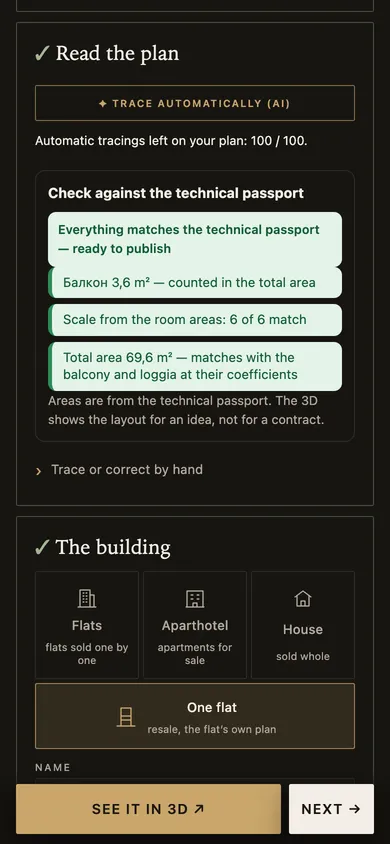 Cabinet screenshot
Up to 30. They are scaled down in your browser with no metadata; the AI reads them, we don’t keep them.
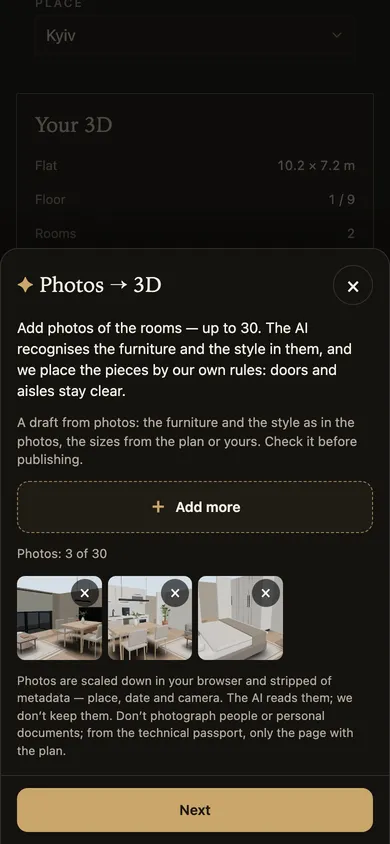 Cabinet screenshot
It is usually one AI action. The most it can take depends on the number of photos: 1–2 in “Standard”, 2–4 in “Maximum accuracy”. Never more than shown before you start.
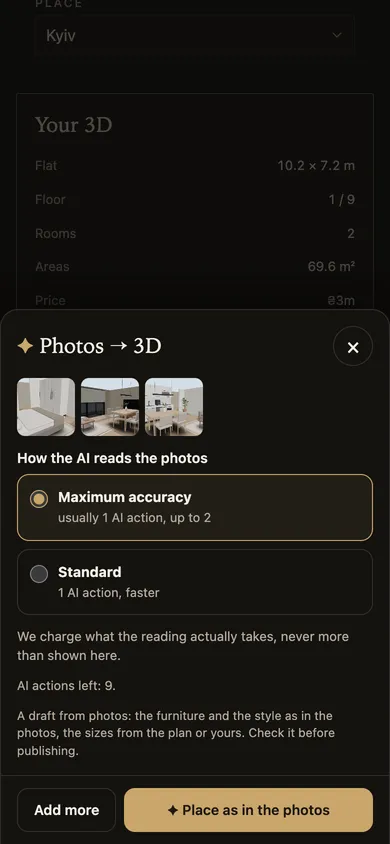 Cabinet screenshot
The furniture and style are those of the photos, the sizes come from the plan. Adjust the furniture or go back to the plan.
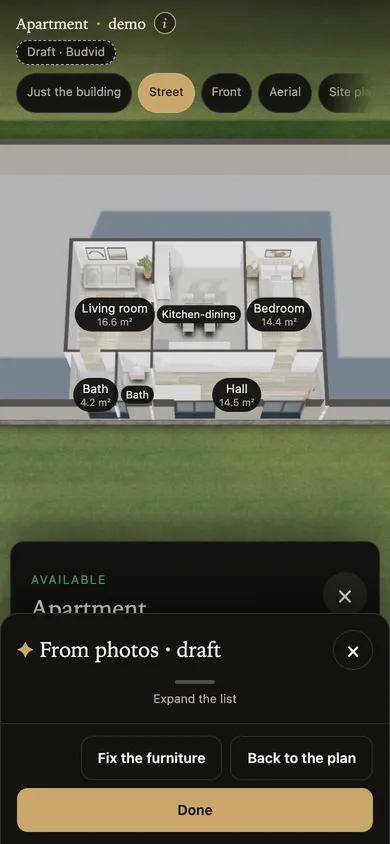 Cabinet screenshot
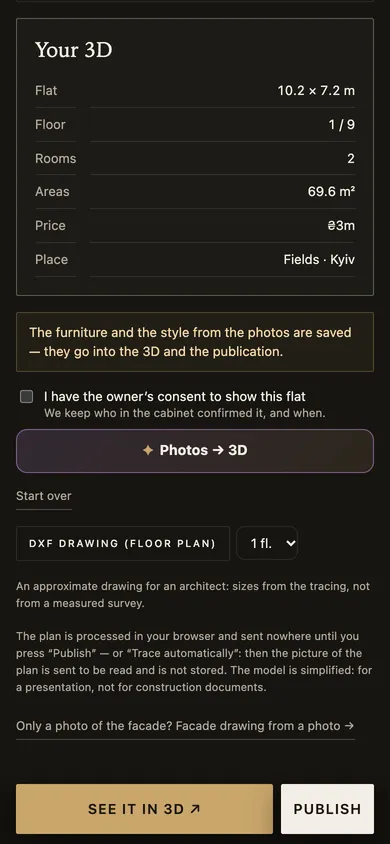
The furniture and style from the photos go into the 3D and into the published property.
 Cabinet screenshot
Screenshots taken on a 390 px phone with Budvid demo data. The room and facade “photos” in them are frames of our own 3D, not someone else’s pictures.
$1 for 7 days, once: 3 AI actions — trace your plan and furnish it from photos.
$29 a month: up to 30 properties and 30 AI actions.
in the cabinet, on top of your plan’s allowance and with no expiry: 10, 50 or 200 actions.
It is a draft: the furniture and style are the photos’, the sizes the plan’s; what the photos don’t show is placed as usual. Check it before publishing.
It needs a traced flat plan and a plan in force with AI actions. The photos are not kept.
Up to 30 photos of the rooms per flat. For a property with a gallery the photos are already picked, and a photo pinned to a room on the plan goes with that room.
Usually one. At most 1–2 in “Standard” and 2–4 in “Maximum accuracy”, by the number of photos. You see how many before you start, and never more is charged.
They are scaled down in your browser and their location and camera data removed. The AI reads them, we don’t keep them. Don’t photograph people or personal documents.
A plan comes first: a photo, scan or PDF the AI traces, or one traced by hand. We never make walls up from photos.
A 7-day test drive: one property and AI actions to trace your plan and furnish it from photos.
See a finished plan on Furnished 3D floor plans.