Photoreal in the browser
The “Photoreal” button: true daylight, soft sky shadows, reflections in the windows. Save the image as PNG for ads and portals.
3D visualisation for developers and agencies
No studio, no brief and no weeks of waiting: upload a plan, set the parameters or describe the building in words — and a 3D model stands in the browser, for buyers to turn with a finger and for you to save as photoreal images.
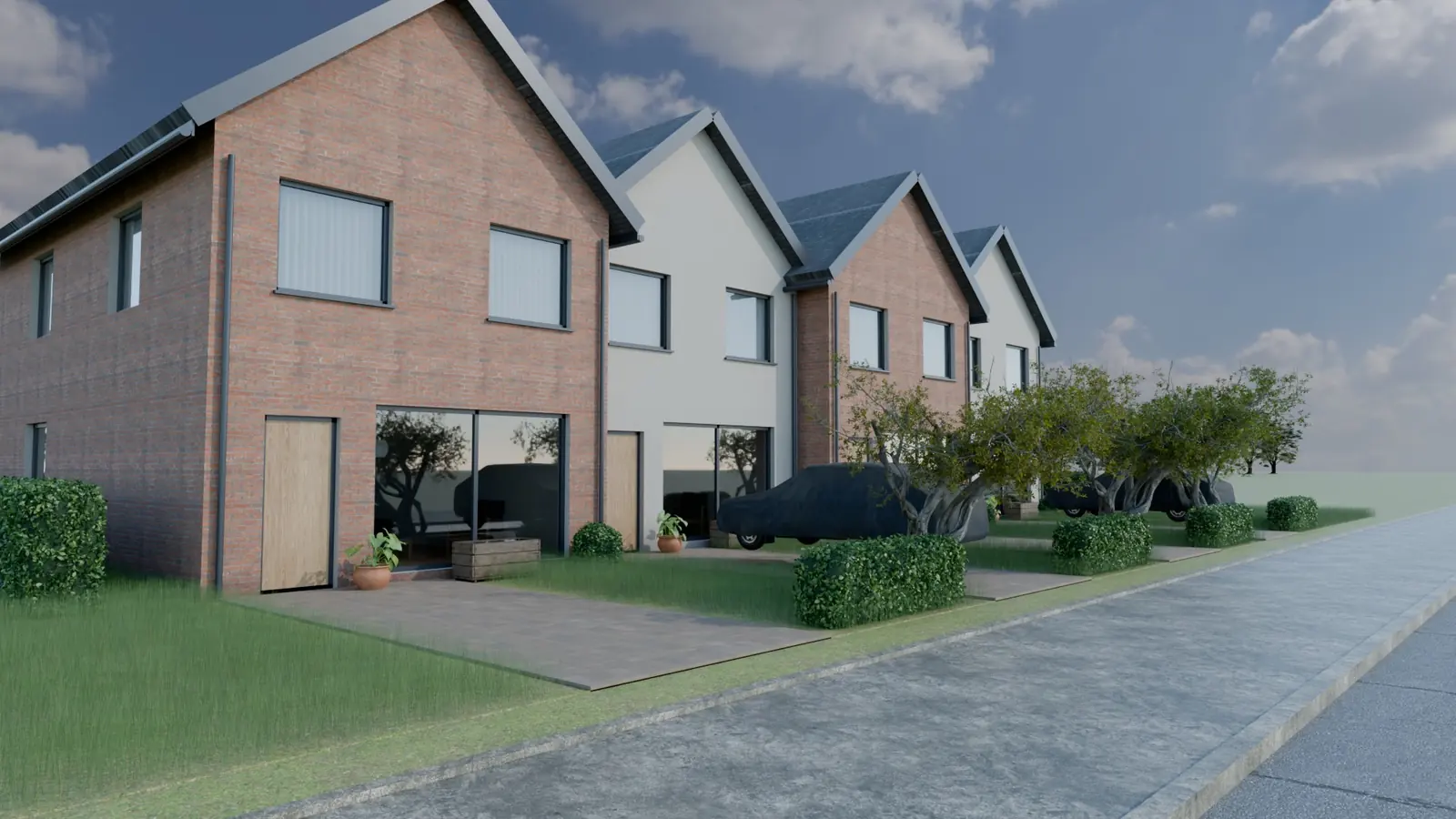
The “Photoreal” button: true daylight, soft sky shadows, reflections in the windows. Save the image as PNG for ads and portals.
Time of day and season on a slider: summer, equinox, winter. The sun is computed for the city and the plot’s orientation.
Fields, forest, a lake, the sea or mountains — the Carpathians around a cottage village or a seafront by an aparthotel.
Floors cut open and every flat’s plan with a kitchen, bathroom, doors and furniture.
Gable, hip, shed or flat roofs; penthouses with terraces, a stepped cascade, bay windows, cut corners.
How many hours of sun each window gets in winter and in summer — an argument a buyer understands at once.
GLB and OBJ for Blender and 3ds Max, USDZ for AR on iPhone. All formats
Publish it and the model starts selling: an apartment chooser on the facade and requests to Telegram or your CRM.
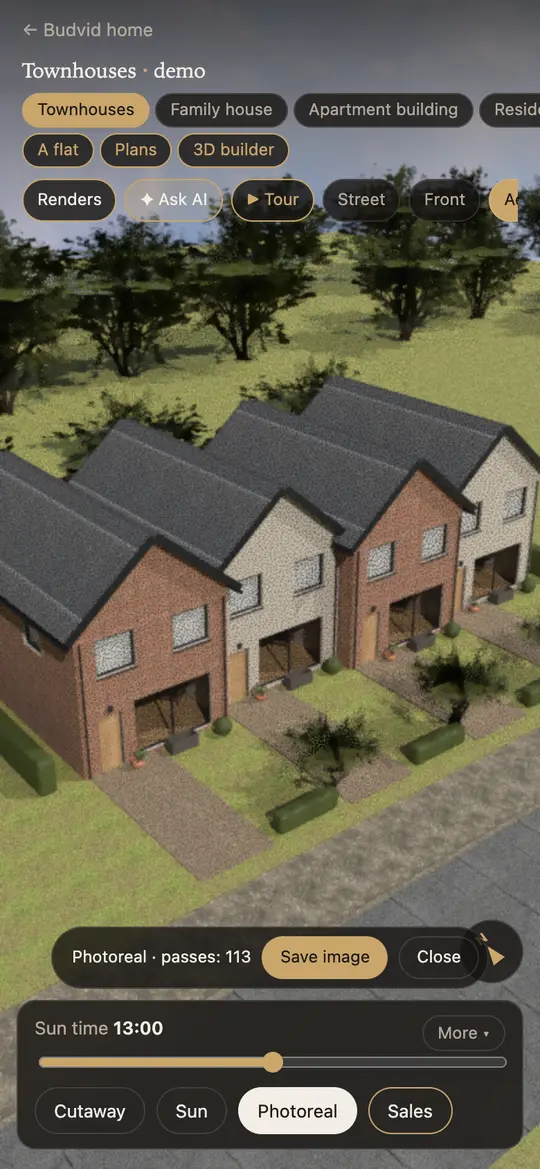
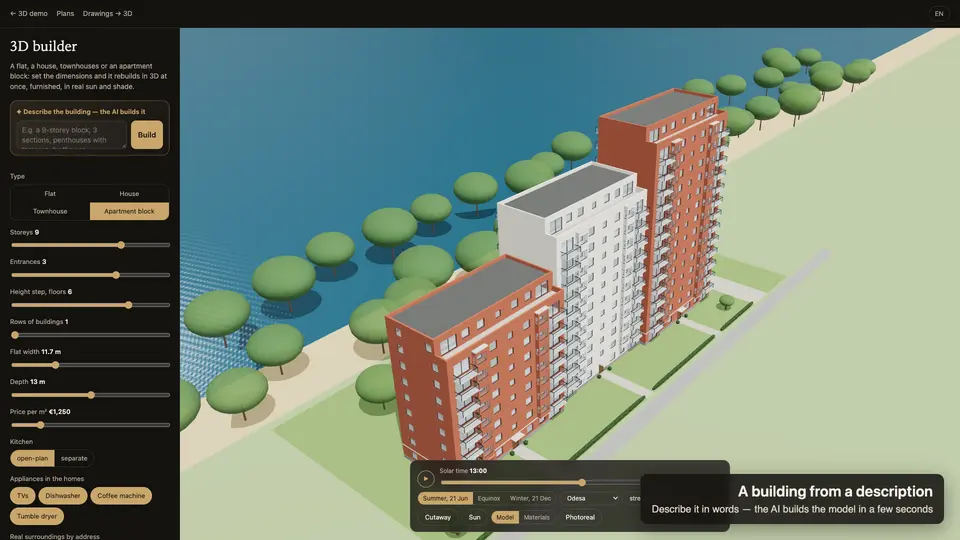
The 3D builder is open without signing up — try it as much as you like. Publishing your own project with a sales chart and requests comes with a plan.
$1 for 7 days: one project, AI tracing, leads to Telegram.
$29 a month: a house, townhouses or a cottage village.
$79 a month: up to 3 apartment complexes, leads to your CRM.
$199 a month: up to 15 projects.
Upload a floor plan (a photo, a PDF or a DXF) on Drawings → 3D — the AI traces the block and the flats in about a minute. Or open the 3D builder and set the building up with parameters: floors, size, roof. Or describe it in words — “9 floors, penthouses, by the sea” — and the AI builds the model itself.
Yes: the “Photoreal” button renders the same view right in the browser — true daylight, soft sky shadows, reflections in the windows — and saves it as a PNG for ads, listing portals and brochures.
A family house, townhouses, a multi-storey block with sections, an aparthotel, a single flat. Gable, hip, shed or flat roofs; penthouses with terraces, a stepped cascade, bay windows, cut corners.
The 3D builder is open without signing up. Your own published project with a sales chart and buyers’ requests starts at $29 a month; try it with a 7-day test drive for $1.
Yes: the model saves as GLB (glTF 2.0) for Blender, Unreal Engine and Unity, as OBJ for 3ds Max, Cinema 4D and Rhino, and as USDZ for augmented reality on an iPhone.
No. It is a presentation for buyers: area, sunlight and price figures are approximate. Construction documents need an architect.
The builder opens in a second and doesn’t ask you to sign up.