Test drive
$1 for 7 days, once: one property and 3 AI actions.
A scenario for estate agents · resale
You upload the flat’s floor plan, the AI traces it and you check it against the technical passport. The buyer gets a link to a furnished 3D flat with the view from its window, and you get ready listing texts.
budvid.com/p/… page with a furnished 3D flat, the view from its window and a request form; the property in your agency’s catalogue; listing texts for property portals, Instagram and your site.Deal, title, address, floor and price. «✦ Fill in from a description» fills the empty fields from your own words.
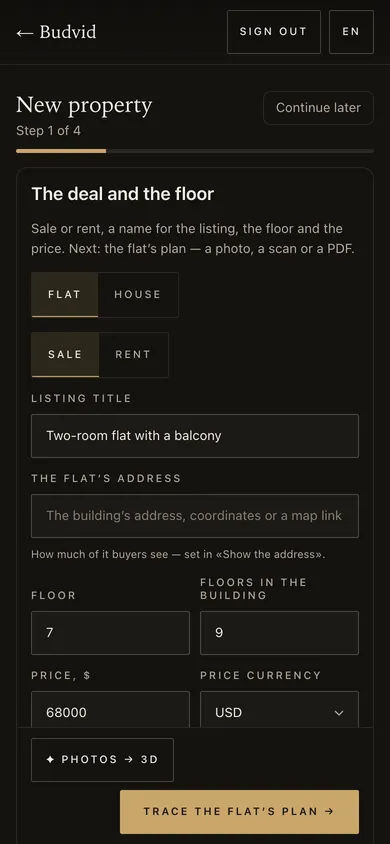 Cabinet screenshot
A photo, scan or PDF of the plan: the AI traces it, and a check shows whether the areas match the technical passport.
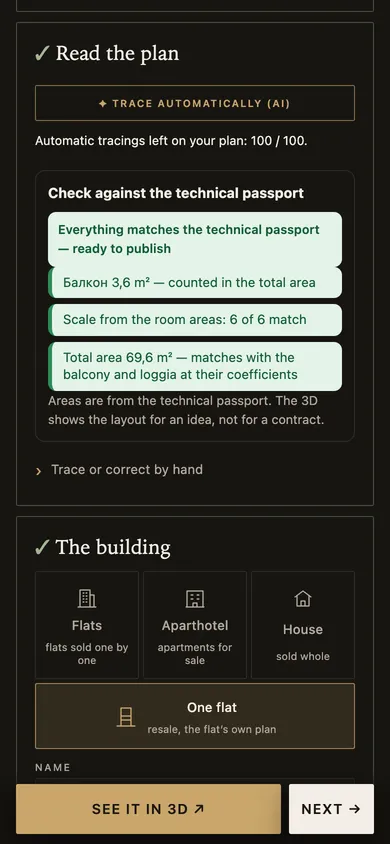 Cabinet screenshot
Resale is never published without the owner’s consent. If needed, a private show by personal links only.
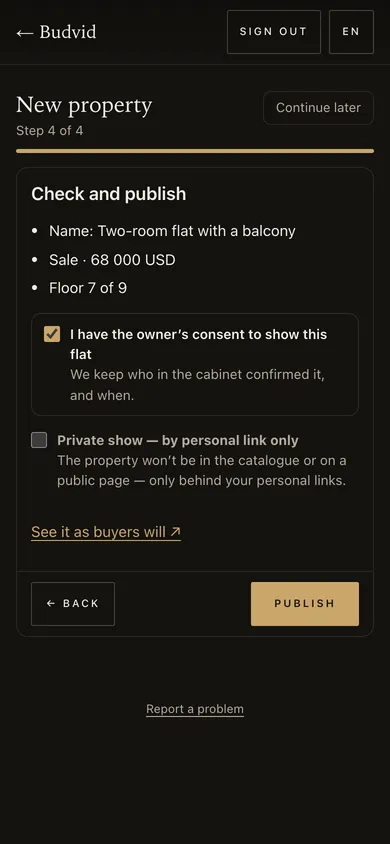 Cabinet screenshot
The buyer opens the furnished 3D flat on a phone, with no app, and leaves a request.
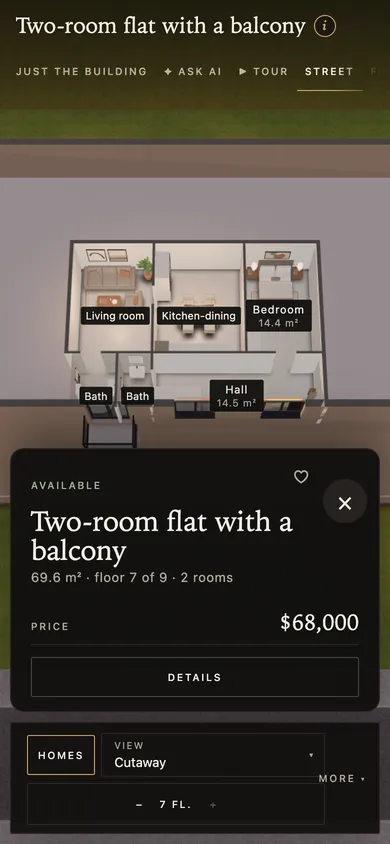 Open the demo
«✦ Listing text» writes a title and texts for property portals, Instagram and your site — from the property’s data only.
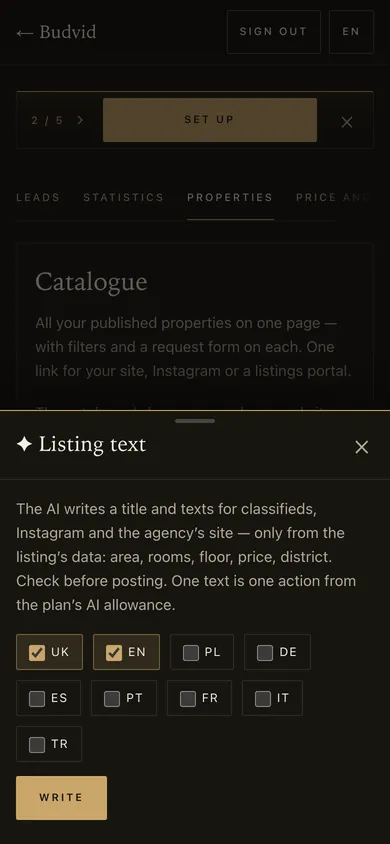 Cabinet screenshot
Screenshots taken on a 390 px phone with Budvid demo data.
$1 for 7 days, once: one property and 3 AI actions.
$5 for 7 days, once: up to 5 properties and 10 AI actions.
$29 a month: up to 30 properties, 30 AI actions, a team of up to 5.
Areas come from the technical passport; the 3D shows the layout to picture it, not for a contract. Resale pages are closed to search engines, for the owner’s privacy.
Tracing the plan, “Fill in from a description” and listing texts are AI actions from your plan’s allowance; you check the result before publishing.
The flat’s floor plan — a photo, scan or PDF — and the technical passport’s figures to check the areas. Furniture is placed automatically; add photos of the rooms to have the furniture and style as in the flat.
Yes. Without the “I have the owner’s consent to show this flat” tick, resale is not published; the cabinet records who confirmed it and when.
No. Resale pages are closed to search engines — the link is seen by whoever you send it to and by visitors of your agency’s catalogue.
“Selection for a client”: tick a few properties in the cabinet — your client gets one link with photos, prices, a side-by-side table, 3D of each and a viewing request. The link works for 90 days.
Ukrainian, English, Polish, German, Spanish, Portuguese, French, Italian and Turkish. Each run is one AI action of your plan.
The demo agency catalogue — flats and houses with 3D, photos and a request form. Open it on your phone.
More for agencies: a demo agency catalogue to open as a buyer would, and the agency plans.